上古卷轴5:重置版MOD EYE ENB
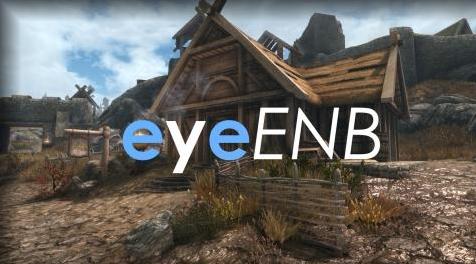
MOD介绍:
eyeENB |eyeENB
从最初的ENB预设创建并变成eyeENB需要elfx(w / elfxenhancer)和更暗的夜晚(level0)。
安装它。
1.完成下载后,从enbdev下载最新的enbseries二进制文件,将d3d11.dll和d3dcompiler_46e.dll复制到你的skyrim主文件夹(一个w / skyrimse.exe)。
2.现在下载我的ENB从“文件”部分下载到你的skyrim主文件夹中的所有内容。
3.last one ...下载ELFX和Darker Nights完成后下载安装它们。 对于ELFX选择“ELFXEnhancer”选项,对于Darker Nights选择等级0。
配置它。
1.确保FXAA关闭
skyAKErefs.ini中的2.bDoDepthOfField = 0
3.bSAOEnable= 0
4.fGamma=1.0000
积分
谢谢Boris Vorontsov的神奇ENB
——————————————————————————————————————————
eyeENB | eyeENB
created from the original ENB preset and turned into eyeENB requires elfx(w/elfxenhancer) & darker nights(level0).
Installing it.
1. download the latest enbseries binary from enbdev after you finish downloading it, copy d3d11.dll & d3dcompiler_46e.dll into your skyrim main folder(the one w/ skyrimse.exe).
2.now download my ENB from the "Files" section up there somewhere after it's done downloading copy all of the content inside your skyrim main folder.
3.last one... download ELFX and Darker Nights once it's done downloading install them. For ELFX pick the "ELFXEnhancer" option, as for Darker Nights pick level 0.
Configuring it.
1.make sure FXAA is off
2.bDoDepthOfField=0 in skyrimprefs.ini
3.bSAOEnable=0
4.fGamma=1.0000
Credits
thank you Boris Vorontsov for the magical ENB
资源查找:
最新文章
点击热榜
推荐问答
- [问答]情商课一般几岁孩子去学比较好?
- [问答]怎么看自己孩子情商低不低?孩子情商低的10大特征是真的吗?
- [问答]我想提高情商和说话要看什么书?
- [问答]顾三月情感课程pdf谁有?
- [问答]谁有情感培训课程资源?
- [问答]如何看卖情感课程正规还是不正规?
回复区
昵称:
邮箱:
内容: