上古卷轴5:重置版MOD ENB Skyrim SE的香草黑夜
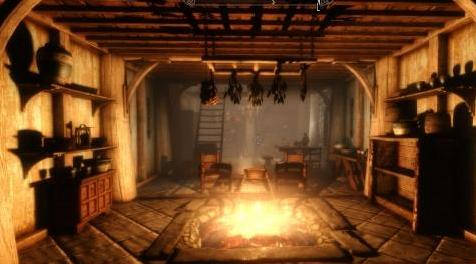
MOD介绍:
安装
从ENB系列网站下载最新的ENB二进制文件:://enbdev.com/download_mod_tesskyrimse.html
将文件d3d11.dll和d3dcompiler_46e.dll复制到主要的Skyrim SE目录(默认?:\ Steam \ steamapps \ common \ Skyrim特别版)。
将此mods文件复制到主要的Skyrim SE目录。
当您使用新的ENB文件启动Skyrim时,应创建一个名为ENB缓存的文件夹,这可能导致主菜单在创建ENB缓存文件时加载缓慢,并且将来加载速度会更快。
目的
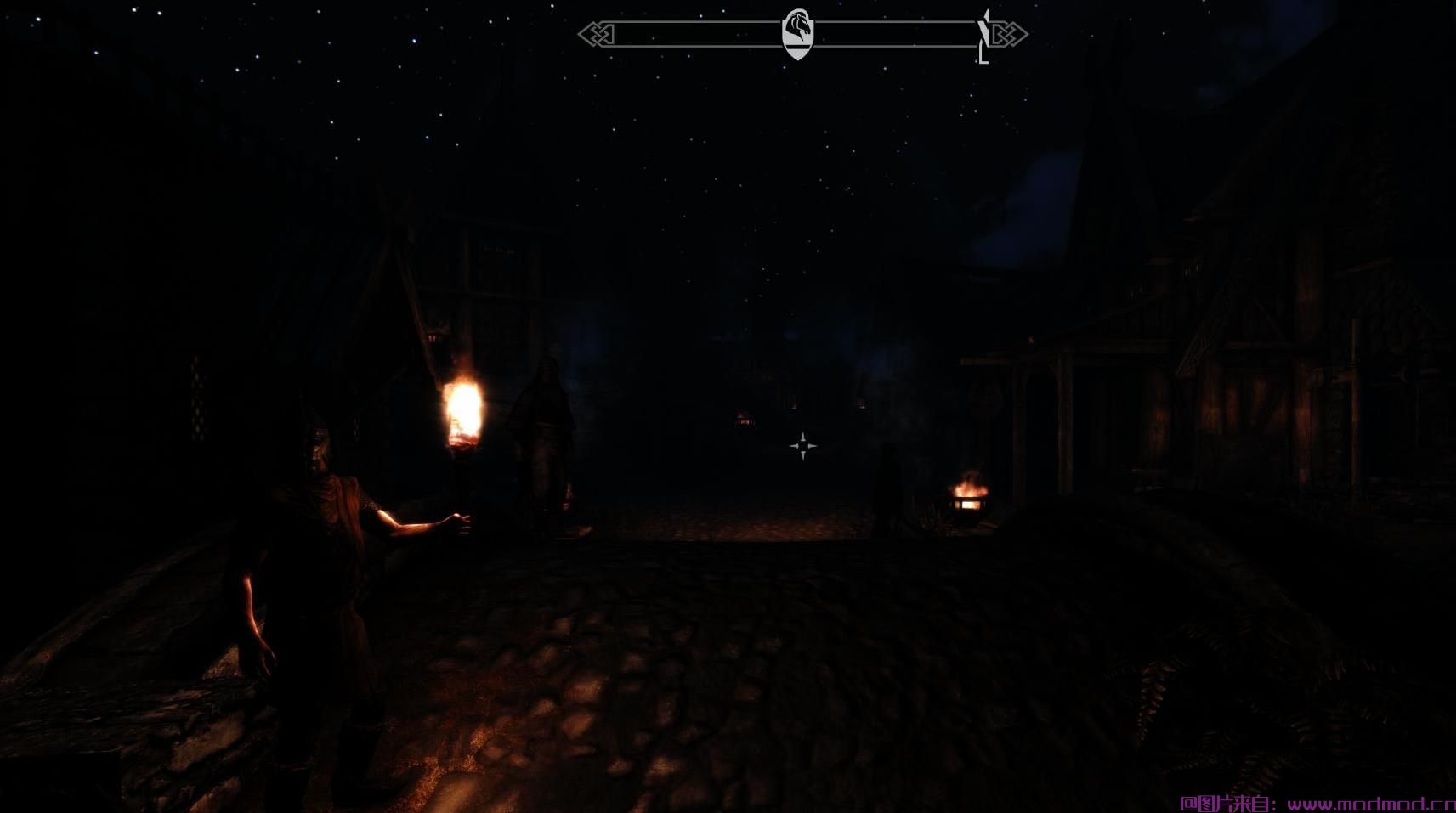
香草天际不是黑暗的。火炬和Alteration的学校灯光在夜晚和地牢中的确存在着一个反复出现的游戏目的。
我通过firemanaf找到了SkyrimSE Re-Engaged ENB,并且总体上非常满意,链接如下。
www#nexusmods#com/skyrimspecialedition/mods/1089?tab=files
在ENB效果预设菜单下,Re-Engaged有一个较暗的设置,但是我想进一步,不要让玩家在黑暗中完全失明,因为这同样令人沮丧。
我花了好几次才接近我满意的东西,我想分享它,因为我做的原因是我找不到我想要的东西。
为什么香草?除了ENB之外,我正在做一个未修改的游戏,以帮助识别我想对基础游戏做出的改变/模式。 ENB帮助增加了我的游戏氛围,并为玩家的照明机制提供了更多的目的。
设计
ENB设计基于几个约束:
让夜晚尽可能黑暗,以便有理由使用火把和轻型法术,但不要太暗,玩家无法导航和看到物体。
环境光和直接照明需要足够高,以使草着色器不会失去所有颜色,因为来自玩家光源的点光源不会影响草着色器。
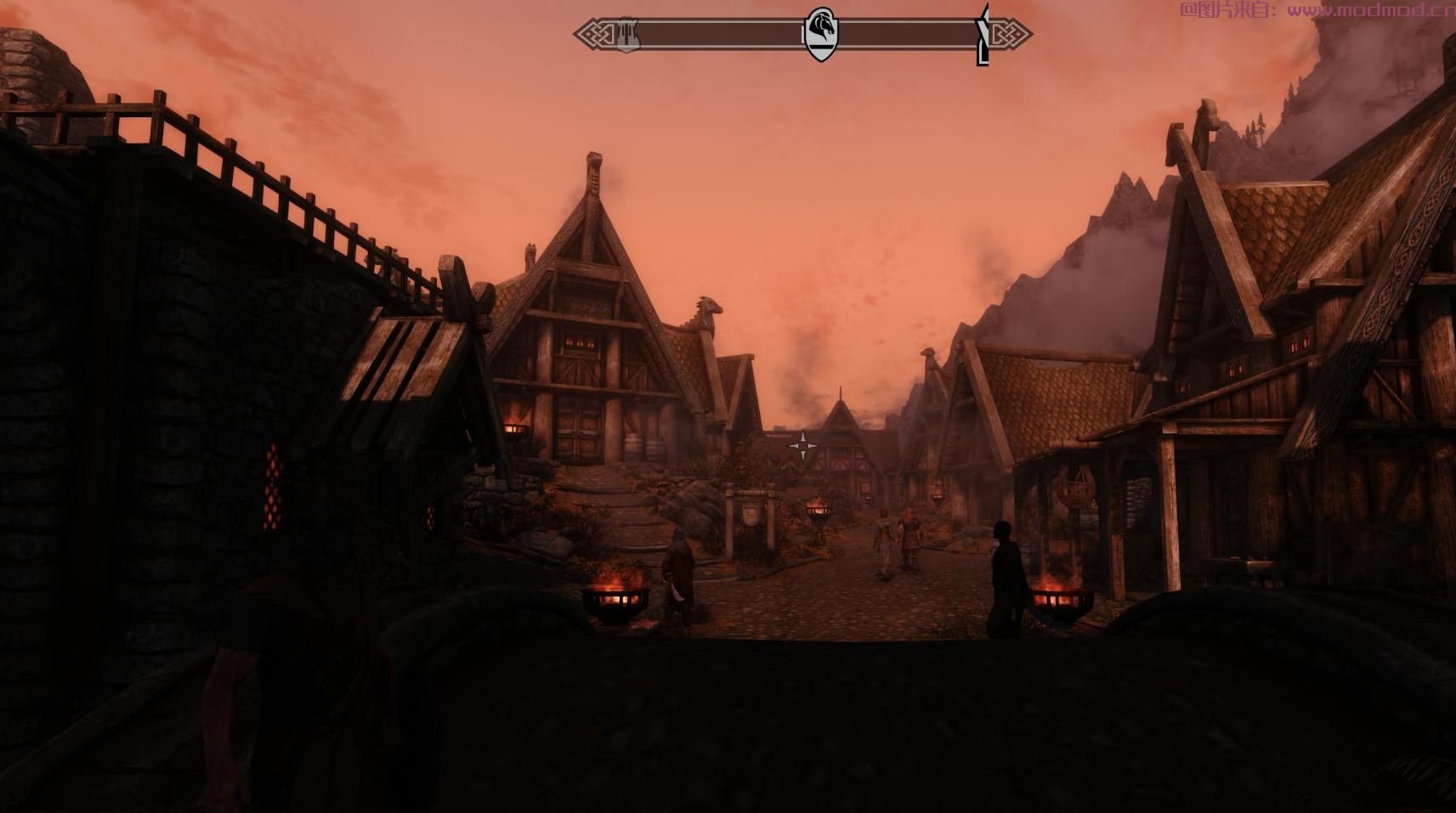
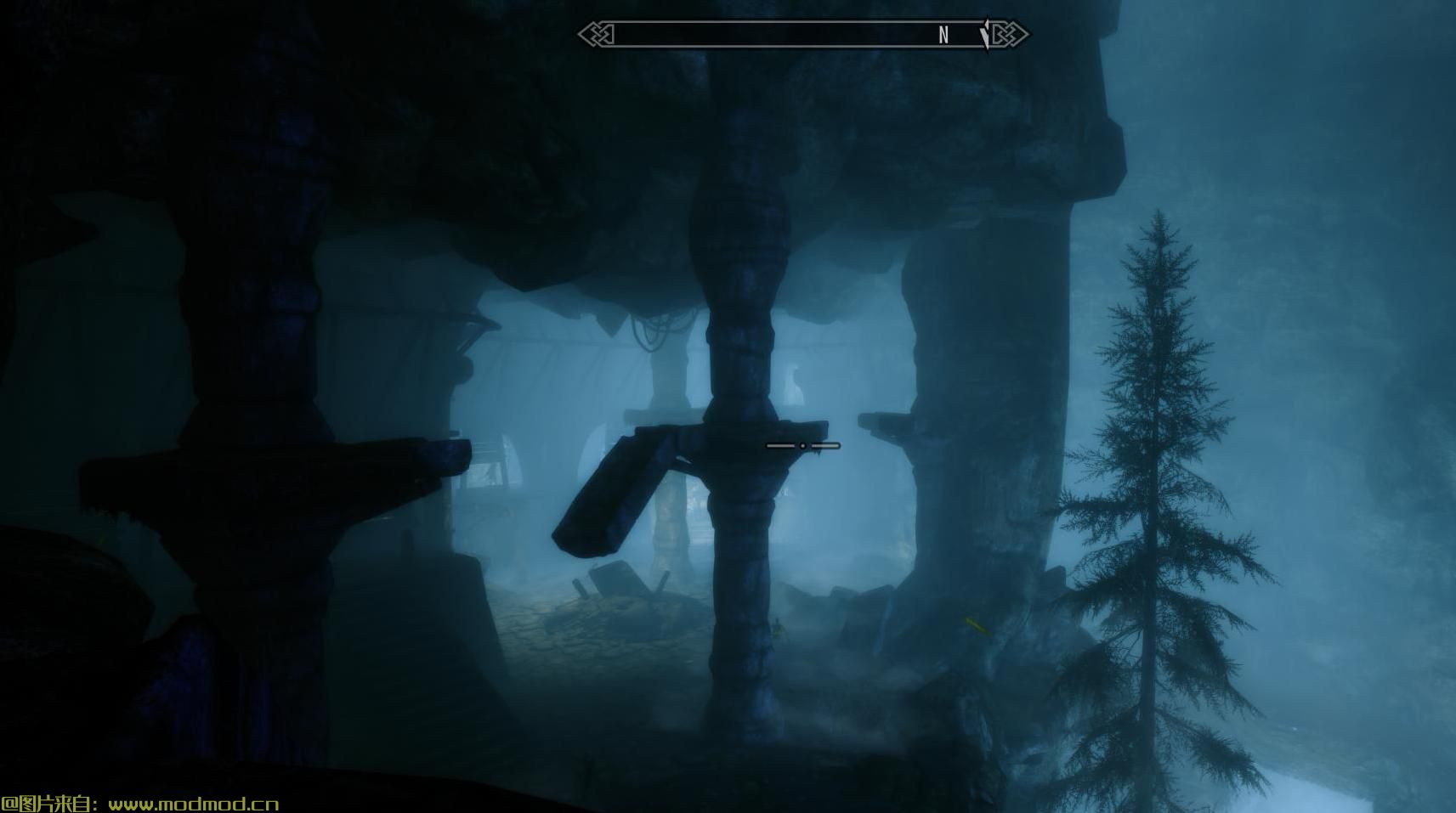
结果是,环境雾被用来模糊夜间的视觉,同时平衡其他照明参数,产生看起来不完全黑暗的效果,看起来不是完全模糊,但介于两者之间以模拟我们的视力减少晚上同时保留玩游戏的能力。
发布信息
目前,我的发布基于Re-Engaged ENB的Ultimate版本。我打算跟进更多性能友好的版本,我想优化这个Ultimate版本。
常问问题
Q-1。这个ENB太暗了,是否有更轻的版本?
A-1。首先,我建议你的显示器正确校准(参见Bugs部分下面的页面底部)。其次,尝试使用文件“enbeffect#fx#ini”中内置的“Nights&Interior Adjustments”设置。访问它的最简单方法是在游戏中使用ENB编辑器。默认快捷方式是“shift + enter”,导航到右侧面板中的ENBEFFECT.FX下拉菜单,默认情况下Nights and Interiors的设置应设置为2.0。以0.5为增量降低此值,直到找到您满意的设置。
Q-2。 Nighteye有效吗?
A2。 Nighteye应该能够很好地在晚上提升您的视力,但我认为它仍然需要优化。
Q-3。是否有更性能友好的版本?
A-3。还没。有关如何提高性能的信息,请参阅上面重新参与ENB的链接。我想花时间评估这个,我以144 fps的速度玩Skyrim,性能提升比你以60 fps的速度播放,因为现代硬件可以更轻松地处理更低的帧速率。
错误
在靠近它们时,看到一些没有光源的网格比从远处看到的网格更难。当你走到门口时,你可能会注意到这一点,而且门突然变得比以前更暗了。我相信这个“迷雾”如何与ENB环境与游戏的互动起作用。我认为有一个曲线设置可以影响雾对玩家的接近程度,这有助于模拟黑暗的夜晚,但也可以实现导航。问题是,当靠近特别黑暗的区域时,这种情况会消失,我不记得将雾气设置得太靠近玩家帮助整体看起来。这对我来说不是一个主要的问题,但它也不是一个设计意图,如果你找到一个解决方法让我知道,如果我遇到一个解决方案,我会更新它。
其他:关于显示器校准和正确的颜色查看
我建议您确保校准显示器以获得最佳观看效果:://www#lagom#nl/lcd-test/
这很重要,因为未经校准以正确区分全部颜色较深的显示器可能会导致图像太暗而无法观看。
最终图像基于主显示器的出厂设置,ASUS ROG PG279Q,校准后的风景模式。回想起来,sRBG模式可能已经成为可能,但似乎每个人最终都会得到略微不同的结果。
即使在校准后,也无法保证屏幕上有关颜色,亮度,色调,伽玛等的图像与您的图像相同。 我将我的主显示器(我最好的显示器)上的屏幕截图与我的辅助显示器进行了比较,并且即使在校准之后,我甚至意识到我的辅助设备出厂时的颜色设置也不同于我的主设备。 他们太黑了! 我使用Nvidia控制面板来调整我的主要辅助设备以保持一致性。 似乎没有“完美”的参考图像,你真的不知道你的颜色是否“正确”,但我现在对我的整体结果感到满意。————————————————————————————————————————————————————————————
Installation
Download the latest ENB binary from the ENB series website: enbdev.com/download_mod_tesskyrimse.html
Copy the files d3d11.dll and d3dcompiler_46e.dll to your main Skyrim SE directory (default ?:\Steam\steamapps\common\Skyrim Special Edition).
Copy this mods files to your main Skyrim SE directory.
When you start Skyrim with the new ENB files, a folder called ENB cache should be created which may cause the main menu to load slowly while created the ENB cache files, and loading should faster in the future.
Purpose
Vanilla Skyrim isn't dark. There really isn't a recurring gameplay purpose for torches and the Alteration's school light spells during the night and in dungeons.
I found SkyrimSE Re-Engaged ENB by firemanaf, and was very pleased with it overall, link below.
www#nexusmods#com/skyrimspecialedition/mods/1089?tab=files
Re-Engaged has a darker setting for nights under the ENB Effects preset menu that helps, but I wanted to take it further, without making the player completely blind in the dark, because that is equally as frustrating.
It took me multiple times to get close to something I was happy with, and I wanted to share it because the reason I made it was that I couldn't find exactly what I was looking for.
Why vanilla? Other than an ENB, I am doing an unmodded playthrough to help identify changes/mods I would like to make to the base game. The ENB has helped add atmosphere to my playthrough and given more purpose to player lighting mechanics.
Design
The ENB design is based on a couple constraints:
Make nights as dark as possible to give reason to use torches and light spells, but not so dark the player is unable to navigate and see objects.
The ambient and direct lighting need to be high enough so that the grass shader does not lose all color, because point lighting from the player's light sources do not affect the grass shaders.
The result, was that environmental fog was used to obscure vision at night alongside balancing other lighting parameters to produce an effect that doesn't look completely dark, doesn't look completely foggy, but somewhere in between to simulate how our vision is reduced at night while retaining the ability to play the game.
Release Information
At this time, my release is based on the Ultimate version of Re-Engaged ENB. I intend to follow up with more performance friendly versions and I would like to optimize this Ultimate version.
FAQ
Q-1. This ENB is too dark, is there a lighter version?
A-1. First, I would recommend that your monitor is properly calibrated (see the bottom of the page below the Bugs section). Second, try using thebuilt-in "Nights & Interior Adjustments" settings in the file "enbeffect#fx#ini". The easiest way to access this is by using the ENB editor in-game. The default shortcut is "shift+enter", navigate to the ENBEFFECT.FX drop down menu in the right panel, and the settings for Nights and Interiors by default should be set to 2.0. Lower this value in increments of 0.5 until you find a setting you are happy with.
Q-2. Does Nighteye work?
A-2. Nighteye should work well enough to enhance your vision at night, but I think it still needs optimization.
Q-3. Is there a more performance friendly version?
A-3. Not yet. Please see the link above to the Re-Engaged ENB for information on how to improve performance. I want to spend time evaluating this, I play Skyrim at 144 fps, and the performance hit is larger than if you play at 60 fps since modern hardware can handle lower frame rates more easily.
Bugs
It is harder to see some meshes that have no light sources when up close to them than it is from a distance. You may notice this when you go to walk up to a door and suddenly the door gets much darker than it used to be. I believe this how the "fog" works with the ENB Environment's interaction with the game. I think there is a curve setting that affects how close the fog is to the player, which helps to simulate the dark night but also enables navigation. The issue is that this disappears when up close to especially dark areas and I don't recall setting the fog too close to the player helping the overall look either. It's not a major issue to me, but it is not a design intention either, if you find a work around let me know, I will update it if I come across a solution.
Other: Regarding monitor calibration and correct color viewing
I recommend making sure your monitor is calibrated for optimal viewing : www#lagom#nl/lcd-test/
This is important since a monitor that is not calibrated to properly distinguish the full range of darker colors, may result in an image that is too dark for viewing.
The final image is based on the factory settings of my primary monitor, a ASUS ROG PG279Q, on Scenery Mode after calibration. In retrospect, sRBG mode might have been the way to go, but it seems like everyone ends up with a slightly different result anyway.
Even after calibration, there is no guarantee that the image on my screen regarding color, brightness, tint, gamma, etc. will be the same as yours. I was comparing my screenshots on my primary monitor (my best one) to my secondary, and realized even my secondary came out of factory with different color settings than my primary even after calibration. They were too dark! I used Nvidia control panel to adjust my secondary to my primary for consistency. It seems like without a "perfect" reference image you don't really know if your color is "correct", but I'm satisfied with my overall results, for now.
演示截图:
资源查找:
最新文章
点击热榜
推荐问答
- [问答]情商课一般几岁孩子去学比较好?
- [问答]怎么看自己孩子情商低不低?孩子情商低的10大特征是真的吗?
- [问答]我想提高情商和说话要看什么书?
- [问答]顾三月情感课程pdf谁有?
- [问答]谁有情感培训课程资源?
- [问答]如何看卖情感课程正规还是不正规?
回复区
昵称:
邮箱:
内容: