上古卷轴5:重置版MOD Kontrol

MOD介绍:
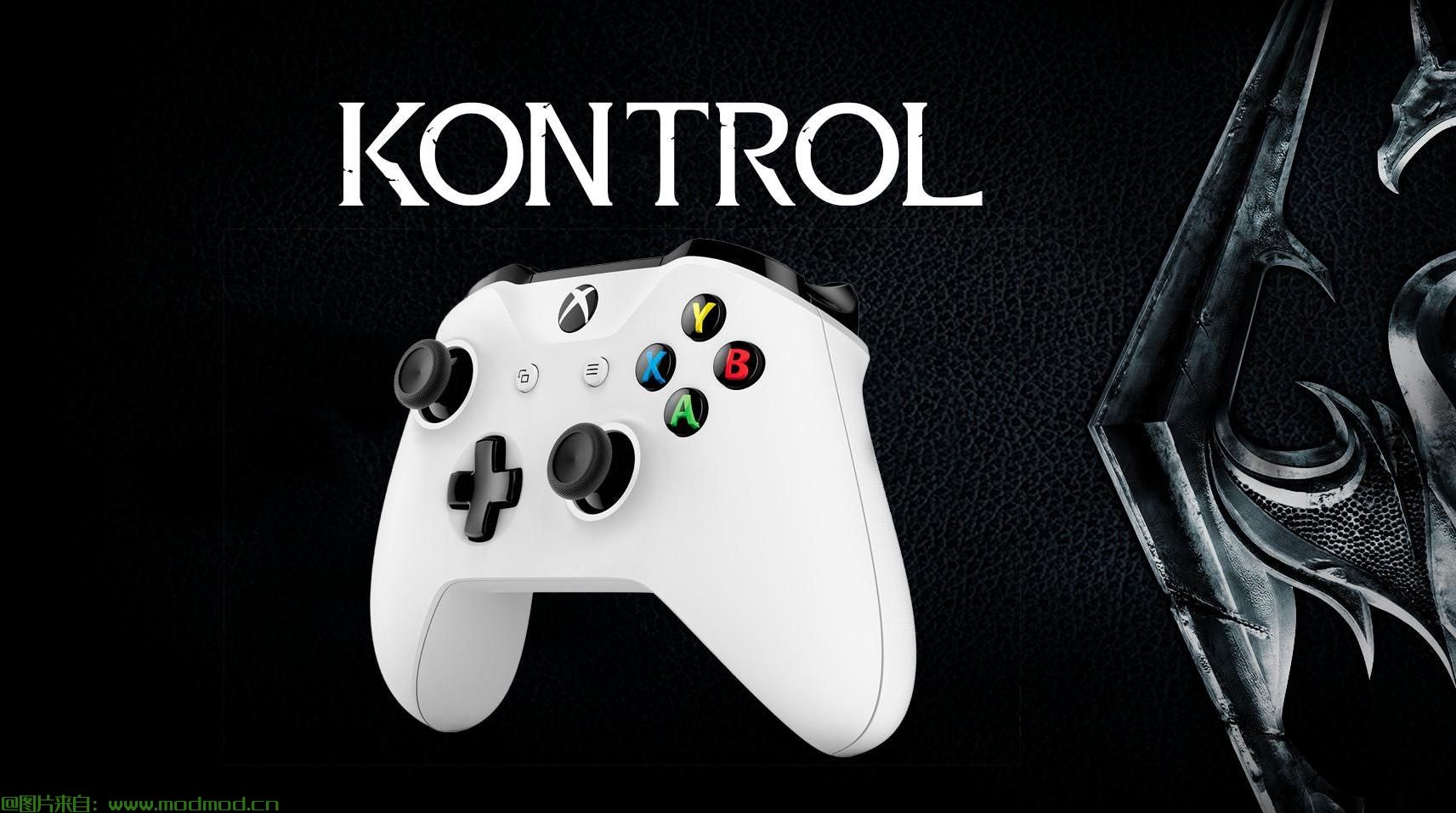
Kontrol增加了在Xbox 360或Xbox One控制器的d-pad上快速选择8个热键的功能。这是通过使用前四个热键的四个基本方向按钮,然后按住“移位按钮”(LB或“Sprint”按钮)+最后四个热键的相同四个基本方向来实现的。此mod还使您能够快速保存,快速加载,打开库存菜单,打开地图,打开魔术菜单,以及从控制器自动运行,而无需浏览常规菜单。只需按下LB +图像或详细信息部分中列出的以前未分配的香草按钮之一。
主要特点:
•扩展默认的Skyrim D-pad热键。而不是只有两个热键,你可以使用多达八个 - 所有在D-pad上!
•使用这些新热键访问您喜爱的八个项目,法术,呼喊和力量。
•能够快速快速加载/快速加载。无需使用键盘或浏览菜单!
•通过正常的未触动的主要菜单(B)访问库存,魔术和地图,或直接从控制器打开它们!
•使用控制器自动运行超级懒惰的游戏玩家,他们不想继续向左推杆...
•与其他mod兼容,但修改控制器方案的mod除外。
•控制器按钮与香草天际保持相同 - 没有学习全新的布局!我只需要移动收藏夹(从D-pad Up到LB + Y)为Hotkey 1腾出空间!
•兼容Oldrim。没有脚本,.esp或任何影响保存游戏文件的东西,它只是一个controlmap.txt编辑!
细节
实际上,Kontrol不再为默认的Skyrim客户端访问两个收藏夹,而是添加了收藏夹,菜单和操作的热键,如下所示:
热键1:D-pad Up
热键2:D-pad右
热键3:D-pad Down
热键4:D-pad Left
热键5:LB + D-pad Up
热键6:LB + D-pad右
热键7:LB + D-pad Down
热键8:LB + D-pad左
Quicksave:LB + Start
Quickload:LB + Back
收藏夹菜单:LB + Y.
快速库存菜单:LB + B.
快速地图:LB + A.
快速魔术菜单:LB + X.
自动运行:LB + R3
此处未列出的默认操作/按钮与vanilla保持一致。
当你使用这个mod时,尝试将你最常用的法术,呐喊,力量和物品添加到收藏夹中。然后,访问您的收藏夹菜单(LB + Y)并浏览您的收藏夹。要为喜爱的热键插槽分配(最多可以有8个),只需按住与该插槽关联的按钮即可。
例如,如果您有一个喜欢的项目,如剑,并希望通过按LB + D-pad左轻松访问它,只需打开您的收藏夹菜单(LB + Y),浏览到剑,然后按住LB + D-pad离开一秒,直到你看到剑旁边的数字(在这种情况下,数字将是“8”,如“热键8”)。现在,当那个巨魔向你收取你的弓箭并且你想用剑几次敲击它时,按下LB + D-pad Left。如果你只按D-pad左,它将装备你为热键4分配的任何东西。
故障排除和帮助
+如果您在第一次使用此mod时没有注意到任何更改,例如您仍然只有两个使用收藏热键的按钮,则浏览到\ steam \ steamapps \ common \ Skyrim Special Edition \文件夹并删除或重命名ControlMap_Custom。 txt到别的东西。如果仍然遇到问题,请删除\ steam \ steamapps \ common \ Skyrim Special Edition \ Data \ Interface \ Controls \ PC \中的controlmap.txt。之后,将此mod的controlmap.txt放在那里,或者使用你的mod管理器重新安装mod。
+如果您在移动时无法停止冲刺并使用换档组合 - 例如。你正在做一个快速保存(LB +开始)时你正在移动你的角色在放开左手杆后你的角色不会停止 - 只需再次点击冲刺按钮(LB)。这是使用sprint按钮作为shift键的问题。这是一个我无法修复mod级别的问题,你只需要再次点击sprint按钮。这是一个非常小/不常见的问题,并不是很明显。这个问题可能是Bethesda默认情况下控制器上不允许超过2个热键的原因。
+我不会做任何个性化的定制请求。如果你想自定义,那么打开controlmap.txt并学习如何自己定制它(这很容易)。 Nexus上有很多游戏手柄自定义文件,它只是一打一打,所以你应该很容易弄清楚如何为你想要的东西分配键。
老实说,我把它上传到Nexus供我个人使用,但是公开了,因为其他人可能会喜欢这些配置。请享用!
——————————————————————————————————————————————————————
Kontrol adds the ability to quickly select between 8 hotkeys on the d-pad of your Xbox 360 or Xbox One controller. This is accomplished by using the four cardinal directional buttons for the first four hotkeys, and then pressing & holding the "shift button" (LB or "Sprint" button) + the same four cardinal directions for the last four hotkeys. This mod also gives you the ability to quicksave, quickload, open the inventory menu, open map, open the magic menu, and auto-run from the controller without having to navigate the regular menus. Simply press LB + one of the previously-unassigned-in-vanilla buttons listed in the image or Details section.
Key Features:
• Expands the default Skyrim D-pad hotkeys. Instead of only two hotkeys, you can use up to eight--all on the D-pad!
• Access eight of your favorite items, spells, shouts and powers with these new hotkeys.
• Ability to quicksave/quickload on the fly. No need to use your keyboard or go through menus!
• Access inventory, magic, and map through the normal untouched cardinal menu (B) or open them directly from the controller!
• Auto-run with the controller for the ultra-lazy gamer who doesn't want to continuously hold forward on the left stick...
• Compatible with other mods, except mods that modify the controller scheme.
• The controller buttons remain relatively the same from vanilla Skyrim -- no learning a completely new layout! I only had to move the Favorites (from D-pad Upto LB + Y) to make room for Hotkey 1!
• Oldrim compatible. No scripts, .esp, or anything that affects save game files, it's just a controlmap.txt edit!
Details
Essentially, instead of only two favorites being accessible by the default Skyrim client, Kontrol adds the hotkeys for favorites, menus, and actions, listed here:
Hotkey 1: D-pad Up
Hotkey 2: D-pad Right
Hotkey 3: D-pad Down
Hotkey 4: D-pad Left
Hotkey 5: LB + D-pad Up
Hotkey 6: LB + D-pad Right
Hotkey 7: LB + D-pad Down
Hotkey 8: LB + D-pad Left
Quicksave: LB + Start
Quickload: LB + Back
Favorites Menu: LB + Y
Quick Inventory Menu: LB + B
Quick Map: LB + A
Quick Magic Menu: LB + X
Auto-Run: LB + R3
The default actions/buttons not listed here remain the same as vanilla.
When you use this mod, try adding your most used spells, shouts, powers, and items to favorites. Then, access your favorites menu (LB + Y) and browse through your favorites. To assign a favorite a hotkey slot (you can have up to eight), simply press and hold the button(s) associated with that slot.
For example, if you have a favorite item such as a sword and want to easily access it by pressing LB + D-pad Left, simply open your favorites menu (LB + Y), browse to the sword, then press and hold LB + D-pad Left for a second until you see a number next to the sword (in this case, the number will be "8", as in "hotkey 8"). Now when that troll charges at you with your bow drawn and you wanna whack it with your sword a few times, press LB + D-pad Left. If you press just D-pad Left, it will equip whatever you assigned for Hotkey 4.
Troubleshooting & Help
+ If you are not noticing any changes when you first use this mod, such as you still only have two buttons that use favorite hotkeys, then browse to your \steam\steamapps\common\Skyrim Special Edition\ folder and delete or rename ControlMap_Custom.txt to something else. If you still experience issues, delete controlmap.txt in \steam\steamapps\common\Skyrim Special Edition\Data\Interface\Controls\PC\. Afterwards, put this mod's controlmap.txt in there instead or reinstall the mod using your mod manager.
+ If you can't stop sprinting when you are moving and use a shift combination--e.g. you are moving while doing a quicksave (LB + Start) and your character won't stop after you let go of the left stick--simply tap the sprint button (LB) again. This is an issue with using the sprint button as the shift key. It's an issue I can't fix on the mod level, you just have to tap the sprint button again. It's a really minor/uncommon issue and not really noticeable. This issue is probably why Bethesda didn't allow more than 2 hotkeys on the controller by default.
+ I will not do any personal requests for customization. If you want to customize, then open up controlmap.txt and learn how to customize it yourself (it's really easy). There are so many gamepad customization files on the Nexus, it's a dime-a-dozen, so it should be easy for you to figure out how to assign keys to what you want.
Honestly, I uploaded this to Nexus for my own personal use, but made it public because someone else might like these configurations. Enjoy!
演示截图:
资源查找:
最新文章
点击热榜
推荐问答
- [问答]情商课一般几岁孩子去学比较好?
- [问答]怎么看自己孩子情商低不低?孩子情商低的10大特征是真的吗?
- [问答]我想提高情商和说话要看什么书?
- [问答]顾三月情感课程pdf谁有?
- [问答]谁有情感培训课程资源?
- [问答]如何看卖情感课程正规还是不正规?
回复区
昵称:
邮箱:
内容: