上古卷轴5:重置版MOD BodySlide热键
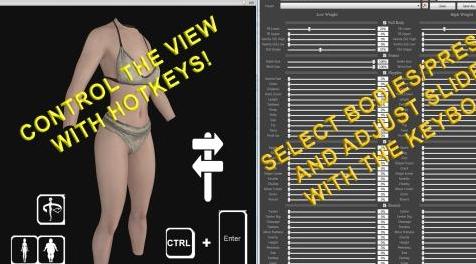
MOD介绍:
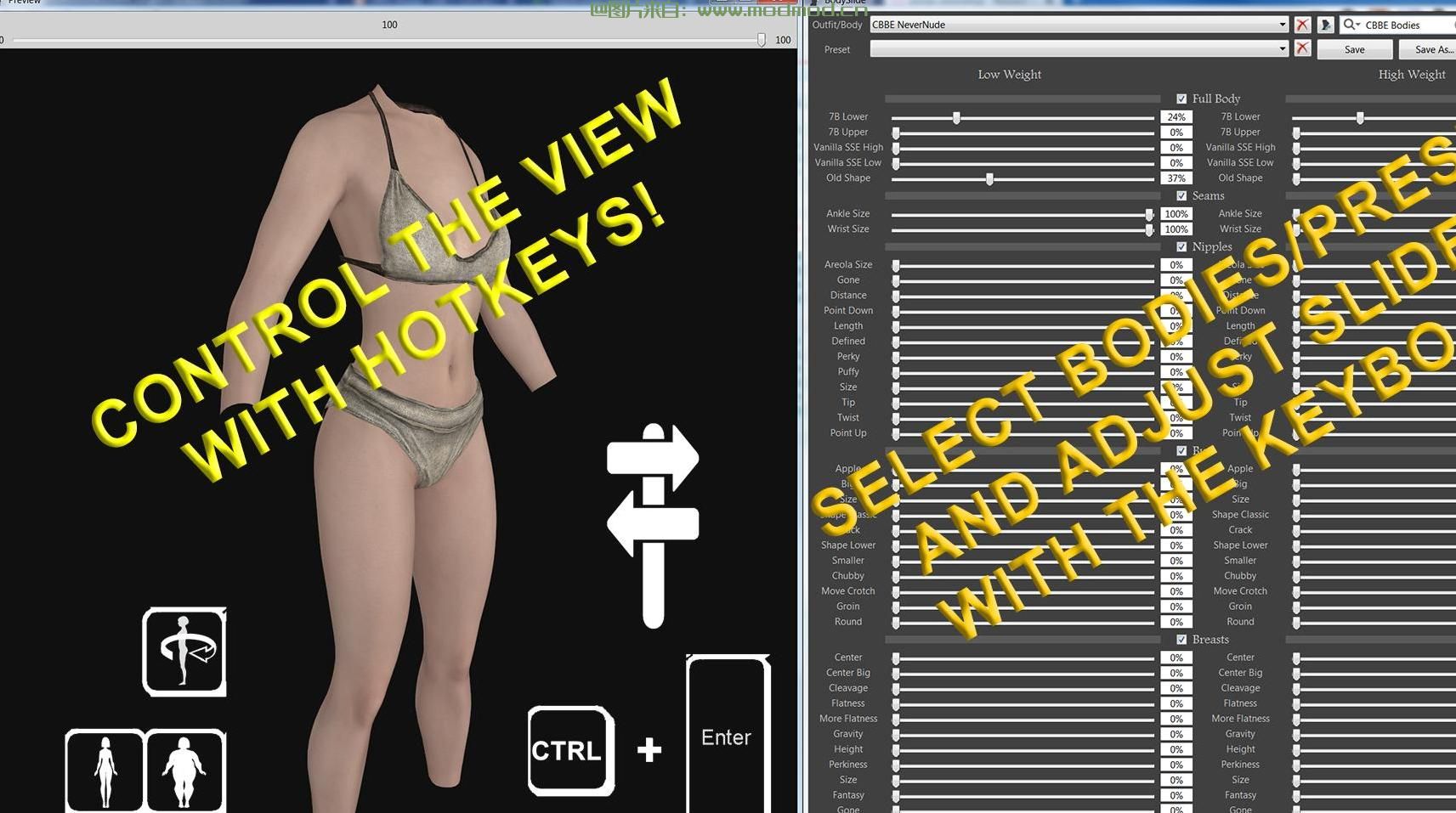
我编写并编译了一个自动热键脚本,它允许您在BodySlide中使用热键(主要来自数字键盘)。
包括源代码和文档,但不包括其他资产。与mod管理器兼容。
脚本运行时,自动热键图标将出现在托盘区域;退出BodySlide时,它将自动关闭。
安装
首先从这里下载并安装BodySlide for SSE:www#nexusmods#com/skyrimspecialedition/mods/201
然后,只需将文件“bodyslidecam.exe”提取到bodyslide目录中(它必须与bodyslide x64.exe目录相同)。
始终使用“bodyslidecam.exe”启动bodyslide,它将作为脚本的一部分自动启动bodyslide x64可执行文件。
启动BodySlide,打开预览窗口,开始比以前更快地调整实体:-)
用法
热键控制“预览”或“主”BodySlide窗口(取决于哪个窗口处于活动状态)。
使用ctrl+numcenter从一个切换到另一个,或者只需使用鼠标。大多数热键使用数字键盘。
请参阅PDF备忘表和屏幕截图以获取图片指导。
(在你问之前:是的,这当然适用于果体!此实用程序不会以任何方式修改BodySlide。我使用NeverNude屏幕截图来避免将此实用程序标记为具有成人内容)。
预览窗口的热键
将车身向左、向右、向下、向上移动:num4、num6、num2、num8
放大,缩小:numadd,numsub
向左,向右旋转:num7,num9
后倾,前倾:1号,3号
重量增加,减少:nummult,numDiv
顺时针旋转45度,逆时针旋转:numdot,num0
顺时针旋转90度,逆时针旋转:ctrl+numdot,ctrl+num0
前视图(重置):num5
后视图:ctrl+num5
从左、从右、从上到下查看:ctrl+num4、ctrl+num6、ctrl+num2、ctrl+num8
左前、右前视图:ctrl+num7、ctrl+num9
左后、右后视图:ctrl+num1、ctrl+num3
聚焦胸部:ctrl+numsub
关注臀部:ctrl+numadd
关注乳头:ctrl+nummult
关注胯部:Ctrl+NumDiv
切换线框:w
切换纹理:t
切换照明:L
BodySlide窗口的热键
选择身体/装备:英寸
选择预设:del
增加,减少滑块值:nummult,numDiv
从滑块跳到值字段:numdot(直接用数字键盘输入值,用numenter确认)
从值字段跳回到滑块:ctrl+numdot
跳到下一个,上一个滑块:numadd,numsub
跳转到下一个、上一个节(要求节中的最后一个或第一个滑块处于活动状态):ctrl+numadd、ctrl+numsub
预期常见问题
这只适用于Skyrim特别版吗?它是否适用于Skyrim le的BodySlide/Fallout4的BodySlide?
我只有Skyrim SSE,所以我不能测试其他人,但我不明白为什么这种方法不应该与其他BodySlide化身一起工作。
可能的警告:该脚本启动可执行bodyslide x64.exe,并期望某些窗口标题(“预览”和“bodyslide”)。它可能需要稍作修改,提供源代码并进行注释。
它是如何工作的?
BodySlide窗口只能用鼠标控制。热键实际上按下鼠标左键或右键并拖动鼠标
矢量,即模拟用户输入。“视图”和“聚焦”命令利用BodySlide的特定方面:关闭和重新打开预览窗口总是将其重置为定义的“前”视图。这提供了一个固定的初始位置!然后,只需执行特定的鼠标移动,以达到所需的方向即可。它适用于任何窗口大小的原因是因为鼠标拖动向量不是绝对的,而是相对于窗口高度和宽度定义的。有些视图需要非常精确的校准!注意:预览窗口必须至少为201 x 201像素,脚本才能工作。
不幸的是,这种方法有两个不可避免的缺点:
选择一个“已定义”的视图是不顺利的,预览窗口将非常短暂地关闭和重新打开。(窗口位置和大小会被记住。)
选择任何“已定义”或“聚焦”视图都会将预览窗口中的体重重置为100!(滑块不受影响)
谢谢您
Caliente用于BodySlide
Ousnious把它移植到SSE
Monsto Brukes提出了这种脚本的最初想法和早期版本(链接到源代码中的ll)
技术能力的自动热键
————————————————————————————————————————————
I wrote and compiled an AutoHotKeys script that lets you use hotkeys (mostly from the numeric keypad) in Bodyslide.
Source code and documentation are included, but no other assets. Compatible with mod managers.
An AutoHotKey icon will appear in your tray area while the script is running; it auto-closes whenever you exit BodySlide.
Installation
First download and install BodySlide for SSE from here: www#nexusmods#com/skyrimspecialedition/mods/201
Then, simply extract the file "BodySlideCam.exe" into your BodySlide directory (it must be the same directory as BodySlide x64.exe).
Always launch BodySlide using "BodySlideCam.exe", it will automatically start the BodySlide x64 executable as part of the script.
Start BodySlide, open the Preview window, and start tweaking bodies faster than ever before :-)
Usage
The hotkeys control either the "Preview" or the "main" BodySlide window (depending on which one is active).
Switch from one to the other using Ctrl + NumEnter or simply use the mouse. Most hotkeys use the numeric keypad.
Please also refer to the PDF cheat sheet and the screenshots for pictorial guidance
(Before you ask: yes of course this works on nude bodies! This utility does not modify BodySlide in any way. I used Nevernude screenshots to avoid having to flag this utility as having Adult content).
Hotkeys for Preview window
Move body left, right, down, up: Num4, Num6, Num2, Num8
Zoom in, out: NumAdd, NumSub
Rotate left, right: Num7, Num9
Tilt back, forward: Num1, Num3
Weight increase, decrease: NumMult, NumDiv
Rotate by 45° clockwise, counterclockwise: NumDot, Num0
Rotate by 90° clockwise, counterclockwise: Ctrl+NumDot, Ctrl+Num0
Front view (RESET): Num5
Back view: CTRL+Num5
View from left, from right, from above, from below: Ctrl+Num4, Ctrl+Num6, Ctrl+Num2, Ctrl+Num8
View from front left, front right: Ctrl+Num7, Ctrl+Num9
View from rear left, rear right: Ctrl+Num1, Ctrl+Num3
Focus on chest: Ctrl+NumSub
Focus on buttocks: Ctrl+NumAdd
Focus on nipples: Ctrl+NumMult
Focus on crotch :Ctrl+NumDiv
Toggle Wireframe: W
Toggle Textures: T
Toggle Lighting: L
Hotkeys for BodySlide window
Select Body/Outfit: Ins
Select Preset: Del
Increase, decrease slider value: NumMult, NumDiv
Jump from slider to value field: NumDot (enter value directly with the numeric keypad and confirm with NumEnter)
Jump from value field back to slider: Ctrl+NumDot
Jump to next, previous slider: NumAdd, NumSub
Jump to next, previous section (requires that the last or first slider in section is active): Ctrl+NumAdd, Ctrl+NumSub
Anticipated FAQ
Is this only for Skyrim Special Edition? Does it work with BodySlide for Skyrim LE / BodySlide for Fallout4?
I only have Skyrim SSE so I can't test the others, but I don't see any reason why this approach shouldn't also work with the other BodySlide incarnations.
Possible caveat: the script launches the executable BodySlide x64.exe and expects certain window titles ("Preview" and "BodySlide"). It may need slight modifications, the source code is provided and annotated.
Just how does it work?
The BodySlide window can only be controlled with the mouse. The hotkeys virtually press the left or right mouse button and drag the mouse for a defined
vector, i.e. imitate user input. The "views" and "focus on" commands leverage a specific aspect of BodySlide: closing and reopening the Preview window always resets it to a defined "front" view. This provides a fixed initial position! Then it's simply a matter of executing certain mouse movements to land in the desired orientation. The reason it works for any window size is because the mouse drag vectors are not absolute, but defined relative to the window height and width. Some views required quite precise calibration! Note: the Preview window must be at least 201 x 201 pixels for the script to work.
Unfortunately, this approach entails two unavoidable drawbacks:
Choosing a "defined" view is not smooth, the Preview window will very briefly close and reopen. (Window position and size are remembered.)
Choosing any of the "defined" or "focused" views will reset the body weight in the Preview window to 100! (Sliders are not affected)
Thank You
Caliente for BodySlide
ousnious for porting it to SSE
Monsto Brukes for the original idea and early version of such a script (link to LL in the source code)
AutoHotKey for the technical capabilities
演示截图:
资源查找:
最新文章
点击热榜
推荐问答
- [问答]情商课一般几岁孩子去学比较好?
- [问答]怎么看自己孩子情商低不低?孩子情商低的10大特征是真的吗?
- [问答]我想提高情商和说话要看什么书?
- [问答]顾三月情感课程pdf谁有?
- [问答]谁有情感培训课程资源?
- [问答]如何看卖情感课程正规还是不正规?
实时热榜
回复区
昵称:
邮箱:
内容: