上古卷轴5:重置版MOD Skyrim SE FPS提升和减少口吃 - 快速指南
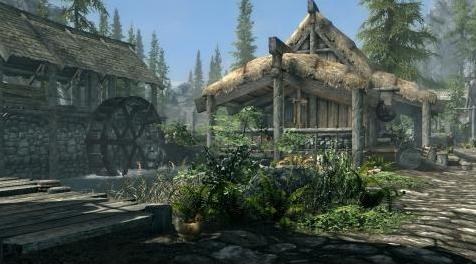
MOD介绍:
你好,
我想分享一些在Skyrim SE中获得更好体验的方法。我希望你们中的许多人能够帮助你获得更多的FPS并减少口吃的数量。
从ENB网站下载ENBoost for Fallout 4 *:
ENBoost
*也适用于上海证券交易所 - 鲍里斯在他的论坛上告诉我,使用ENBoost进行F4到SSE是安全的,因为两者都有相同的引擎,(我的昵称是Caius Cosades),我同意这一点,因为经过超过100小时的测试(我三个星期前创造了一个新角色,现在有80级)我没有注意到任何问题
安装 - 解压缩“enbseries_fallout4_v0283”并从补丁目录中复制三个文件:d3d11.dll,d3dcompiler_46e.dll和enblocal.ini到SkyrimSE.exe所在的文件夹
你可以改变enblocal.ini:
[记忆]
ForceVideoMemorySize = FALSE
VideoMemorySizeMb = 4096
......通过这个食谱:
简单来说:
VideoMemorySizeMb =您的系统RAM加上您的VRAM减去6 Gb,并以Mb(1 GB = 1024 Mb等)给出结果
示例:8 GB RAM + 2GB VRAM - 6 GB = 4 Gb - > 4096 Mb
然后VideoMemorySizeMb = 4096
PS。如果您的卡至少有6-8GB的VRAM,即使使用4k纹理也无需更改此值! (那么你需要的只是VideoMemorySizeMb =你的VRAM(95-99%金额),例如你有6 Gb你设置6000和8 GB是8000等)
在SkyrimPrefs.ini *中更改此参数:
iVSyncPresentInterval = 1到0([显示]部分)
并添加/更改:
bMouseAcceleration = 1到0([控制]部分)
*文件/我的游戏/天际特别版
别担心,VSYNC仍然打开,因为在enblocal.ini中它是:
[发动机]
ForceVSync =真
在Skyrim.ini中**更改此参数:
**文件/我的游戏/天际特别版
u外部细胞缓冲液= 36至108
并添加,也在[General]部分下:
u细胞内缓冲液= 12
iPreloadSizeLimit = 1048576000
毕竟它应该是这样的:
[一般]
sLanguage =(您的语言)
sTestFile1 = Dawnguard.esm
sTestFile2 = HearthFires.esm
sTestFile3 = Dragonborn.esm
u细胞内缓冲液= 12
u外部细胞缓冲液= 108
iPreloadSizeLimit = 1048576000
...和其他你的参数,如sIntroSequence =等
在游戏设置 - >游戏中禁用/取消选中振动和控制器
如果您的CPU具有至少6个带HT / SMT技术的内核,请在BIOS中将其关闭。您可以使用“仅”4个核心进行尝试,但是如果它为您提供FPS增加并减少口吃量,您必须自己测试。
完成:)
################################################## ##################################
重要提示:运行SkyrimSE.exe约20-30秒后,您将看到黑屏 - 这是正常的!
################################################## ##################################
PS。我的RX 560 OC 2 GB(1350/8000 MHZ)和旧的i3-3250加上8 Gb RAM(2x4 Gb DDR3 1600 MHz)的额外5-10 FPS(甚至15!)和更少的口吃也是零CTD。我希望它也会对你有所帮助。如果是这样,别忘了赞同:)
PS2。如果您的卡有2 GB VRAM我强烈推荐这个mod:
SSE的性能优化纹理
这个纹理是1k(原始是2k),如果你有1080p或更低分辨率的显示器,你不会注意到质量上的任何差异 - 只有更多的FPS和更少的口吃/更快的加载!
——————————————————————————————————————————————————
Hello,
I wanted to share ways for a better experience in Skyrim SE. I hope that many of you will help you achieve more FPS and reduce the amount of stuttering.
Download ENBoost for Fallout 4* from ENB site:
ENBoost
*Also works in SSE - Boris told me on his forum was it safe to use ENBoost for F4 to SSE because both have the same engine, (my nick there is Caius Cosades) and I agree with this because after more than 100h tests (I created a new character three weeks ago who now has 80 level) I did not notice any problems
Installation - unzip "enbseries_fallout4_v0283" and copy three files from patch directory: d3d11.dll, d3dcompiler_46e.dll and enblocal.ini to the folder where SkyrimSE.exe is
You can change in enblocal.ini:
[MEMORY]
ForceVideoMemorySize=false
VideoMemorySizeMb=4096
...by this recipe:
in brief:
VideoMemorySizeMb= your system RAM plus your VRAM minus 6 Gb, and give the result in Mb (1 GB = 1024 Mb etc.)
Example: 8 GB RAM + 2GB VRAM - 6 GB = 4 Gb -> 4096 Mb
then VideoMemorySizeMb=4096
PS. if your card has at least 6-8GB of VRAM you do not have to change this value even with 4k textures ! (then all you need is VideoMemorySizeMb = Yours VRAM (95-99% amount) eg you have 6 Gb you set 6000 and when 8 GB is 8000 etc)
In SkyrimPrefs.ini* change this parameter:
iVSyncPresentInterval=1 to 0 ( [Display] section )
and add/change:
bMouseAcceleration=1 to 0 ( [Controls] section )
*Documents/My Games/Skyrim Special Edition
Do not worry, VSYNC is still turned on because in enblocal.ini it is:
[ENGINE]
ForceVSync=true
In Skyrim.ini** change this parameter:
**Documents/My Games/Skyrim Special Edition
uExterior Cell Buffer=36 to 108
and add, also under [General] section:
uInterior Cell Buffer=12
iPreloadSizeLimit=1048576000
after all it should look like this:
[General]
sLanguage=(your language)
sTestFile1=Dawnguard.esm
sTestFile2=HearthFires.esm
sTestFile3=Dragonborn.esm
uInterior Cell Buffer=12
uExterior Cell Buffer=108
iPreloadSizeLimit=1048576000
...and other yours parameter like sIntroSequence= etc
In game Settings->Gameplay disable/uncheck Vibration and Controller
If you have CPU with at least 6 cores with HT / SMT technology, turn it off in BIOS. You can try it with "only" 4 cores, but you have to test yourself if it gives you an FPS increase and reducing the amount of stuttering.
Done :)
####################################################################################
IMPORTANT: After running the SkyrimSE.exe for about 20-30 seconds you will have a black screen - it's normal !
####################################################################################
PS. I have extra 5-10 FPS (even 15 !) and less stutter also zero CTD on my RX 560 OC 2 GB (1350/8000 MHZ) and old i3-3250 plus 8 Gb RAM (2x4 Gb DDR3 1600 MHz). I hope that it will help you too. If so, do not forget to endorse :)
PS2. If you card have 2 GB VRAM I STRONGLY recommended this mod:
performance optimized textures for SSE
This texture is 1k (original is 2k) and if you have a 1080p or a lower resolution monitor, you will not notice any difference in quality - only more FPS and less stutter/faster loading !
资源查找:
最新文章
点击热榜
推荐问答
- [问答]情商课一般几岁孩子去学比较好?
- [问答]怎么看自己孩子情商低不低?孩子情商低的10大特征是真的吗?
- [问答]我想提高情商和说话要看什么书?
- [问答]顾三月情感课程pdf谁有?
- [问答]谁有情感培训课程资源?
- [问答]如何看卖情感课程正规还是不正规?
回复区
昵称:
邮箱:
内容: