上古卷轴5:重置版MOD 性能ENB
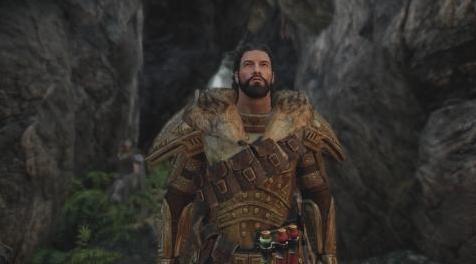
MOD介绍:
在评论部分提出问题之前,请先阅读MOD描述和STICKY POST(S)。
所有图片和视频都是欢迎的;我的屏幕快感!
性能ENB
此ENB预设基于Haze ENB,已更新为最新版本的ENB二进制文件。
特征
- 2个预设:逼真(默认)和充满活力
- 专注于氛围和平衡照明
- 保留天际的冷酷感觉
- 没有更多粉碎的黑人
- 不再有过饱和的颜色
- 性能友好
- 默认情况下兼容Night Eye
安装
要安装Performance ENB,请执行以下简单步骤:
1.从ENBDev.com下载Skyrim:SE的最新ENB二进制文件
2.仅将EN3 zip文件中的d3d11.dll和d3dcompiler_46e.dll复制到root Skyrim:SE游戏目录中
3.将“Performance ENB”zip文件的内容复制到根目录Skyrim:SE游戏目录中
常问问题
“我如何打开ENB菜单?”
按键盘上的“结束”键。 (如果这不起作用,请从游戏文件夹中删除enblocal.ini,重新打开游戏,然后按“Shift + Enter”。)
“我如何更改预设?”
打开ENB菜单。在“着色器”窗口中,单击“ENBEFFECTPOSTPASS.fx”。
在那里,您可以通过更改所使用的技术来选择所需的预设。
“日,夜和/或内饰太暗/太亮了。我该如何解决?”
您可以在ENB菜单的着色器窗口的“ENBEFFECT.fx”中轻松调节日,夜和室内的亮度。
从那里你可以调节Haze ENB,适用于任何天气和照明模块组合。
“如何禁用信箱(黑条)?”
您必须打开ENB菜单。在“着色器”窗口中,单击“ENBEFFECTPOSTPASS”。
在那里你可以禁用信箱栏。
“我怎样才能获得更多的FPS?”
1.打开ENB菜单并禁用Ambient Occlusion和/或SkyLighting。
2.在SkyrimPrefs.ini文件中设置“bSAOEnable = 0”
“如果我可以省去额外的FPS,我如何启用DOF(景深)?”
按键盘上的“删除”键。
“我不喜欢镜头效果。我怎么能解决这个问题?”
如果您不喜欢雾度镜头效果,可以通过打开ENB菜单更改为更简单的效果。
在“着色器参数”窗口中,单击“ENBLENS.fx”,然后使用“Skyrim Mod Lens”技术。
如果您不喜欢,也可以完全禁用“enbseries.ini”窗口中的“EnableLens”。
“我如何拍摄截图?”
按键盘上的“Page Up”键。 ENB将在游戏文件夹中创建屏幕截图。
*请记住单击“保存配置”以使更改保持永久性。
使用的信用/技术
ENB二元:Boris Vorontsov
ENB DNI分离:Tapioks
深度线性化,高级DOF,MXAO和Lightroom:Marty McFly
深度线性化:TreyM
SMAA:Kingeric1992
DPX Cineon Shader:Loadus
曲线和假HDR:Ceejay.dk
阴影着色器,RBGL曲线和Bloom图层代码:Prod80
Bloom着色器:MaxG3D
高级绽放和ENB镜头:Kyokushinoyama
RGBL曲线,Godrays和假HDR端口:一个dyss
高斯内核生成器和重新构建的UI:Sandvich Maker
模块化着色器,各种着色器和其他着色器中使用的代码:JawZ
代码补充:GrVulture
特别声明TreyM允许使用CFL II中的enbeffect.fx
PS:截至屏幕截图时我很糟糕。请在“图片”部分添加您自己的内容!
——————————————————————————————————————————————————————
PLEASE READ THE MOD DESCRIPTION AND THE STICKY POST(S) BEFORE ASKING QUESTIONS IN THE COMMENT SECTION.
ALL IMAGES AND VIDEOS ARE WELCOME; MY SCREENSHOTS SUCK!
Performance ENB
This ENB preset is based on Haze ENB, updated to look fine for the newest version of the ENB binary.
FEATURES
- 2 presets: Realistic(default) and Vibrant
- Focusing on atmosphere and balanced lighting
- Preserving the bleak cold feeling of Skyrim
- No more crushed blacks
- No more oversaturated colors
- Performance friendly
- Compatible with Night Eye by default
INSTALLATION
To install Performance ENB, follow these simple steps:
1. Download the latest ENB binaries for Skyrim:SE from ENBDev.com
2. Copy ONLY d3d11.dll and d3dcompiler_46e.dll from the ENB zip file into the root Skyrim:SE game directory
3. Copy the contents of the "Performance ENB" zip file into the root Skyrim:SE game directory
FAQ
"How do I open the ENB menu?"
Press the "end" key on your keyboard. (If that does not work, delete enblocal.ini from the game folder, re-open the game, and press "Shift + Enter.")
“How do I change Presets?”
Open the ENB menu. In the Shaders window, click on “ENBEFFECTPOSTPASS.fx”.
There you can choose the preset you want by changing the technique used.
“Days, nights and/or interiors are too dark/bright. How do I fix this?”
You can regulate the brightness of days, nights and interiors very easily in “ENBEFFECT.fx”, in the Shaders window of the ENB menu.
From there you can regulate Haze ENB to work with any weather and lighting mod combination.
"How do I disable the letterbox (black bars)?"
You must open the ENB menu. In the Shaders window, click on “ENBEFFECTPOSTPASS”.
There you can disable the Letterbox Bars.
"How can I get even more FPS?"
1. Open the ENB menu and disable Ambient Occlusion and/or SkyLighting.
2. Set "bSAOEnable=0" in your SkyrimPrefs.ini file
"How do I enable the DOF (Depth of Field) if I can spare the extra FPS?"
Press“Delete” key on your keyboard.
"I don't like the lens effect. How can I fix this?"
If you don't like the Haze Lens effect, you can change to a simpler one by opening the ENB menu.
On the "Shader parameters"window, click on "ENBLENS.fx", and use the "Skyrim Mod Lens" technique instead.
If you don't like that either, you can disable "EnableLens" on the "enbseries.ini" window completely.
"How do I take screenshots?"
Press "Page Up" key on your keyboard. ENB will create screenshots in the game folder.
*Remember to click “Save Configuration” for your changes to stay permanent.
CREDITS / Techniques used
ENB binary: Boris Vorontsov
ENB DNI separation: Tapioks
Depth Linearization, Advanced DOF, MXAO and Lightroom: Marty McFly
Depth Linearization: TreyM
SMAA: Kingeric1992
DPX Cineon Shader: Loadus
Curves and Fake HDR: Ceejay.dk
Shadows shaders, RBGL Curves and Bloom Layer code: Prod80
Bloom shaders: MaxG3D
Advanced Bloom and ENB Lens: Kyokushinoyama
RGBL Curves, Godrays and Fake HDR port: Adyss
Gaussian Kernel Generator and Reforged UI: The Sandvich Maker
Modular Shaders, various shaders and code used in other shaders: JawZ
Code additions: GrVulture
Special Credits to TreyM for permission to use the enbeffect.fx from CFL II
PS: I suck when it comes to screenshots. Please add your own in the "Images" section!
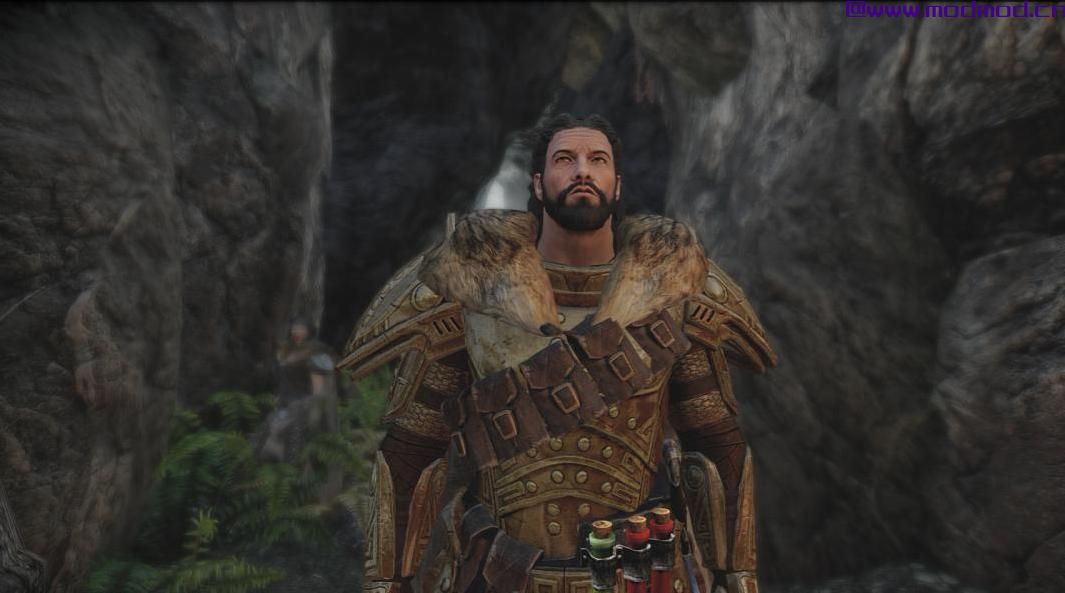
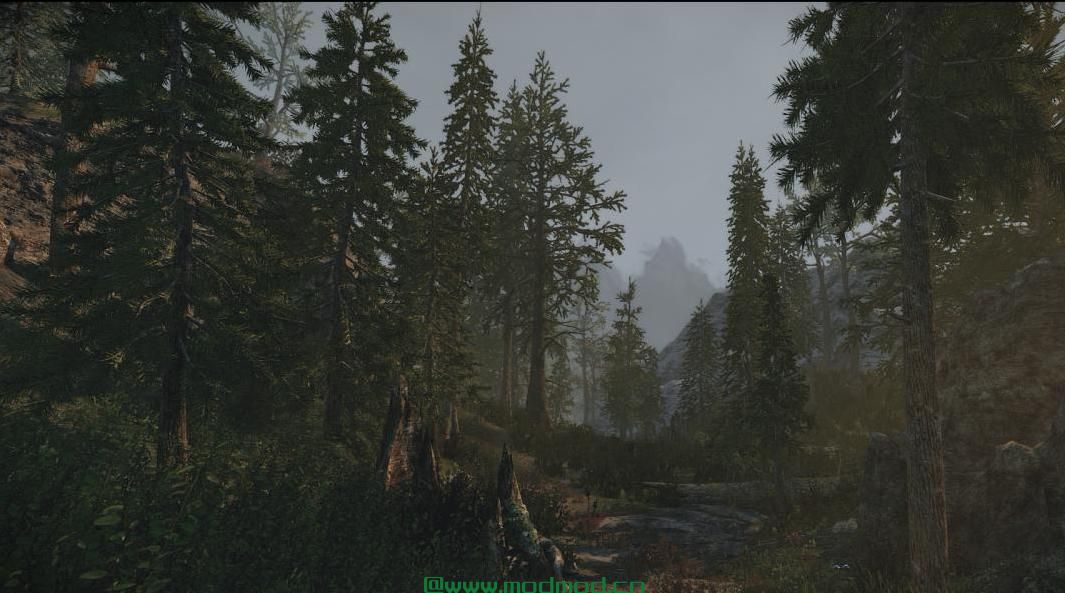
演示截图:
资源查找:
最新文章
点击热榜
推荐问答
- [问答]情商课一般几岁孩子去学比较好?
- [问答]怎么看自己孩子情商低不低?孩子情商低的10大特征是真的吗?
- [问答]我想提高情商和说话要看什么书?
- [问答]顾三月情感课程pdf谁有?
- [问答]谁有情感培训课程资源?
- [问答]如何看卖情感课程正规还是不正规?
回复区
昵称:
邮箱:
内容: