上古卷轴5:重置版MOD TK Dodge SE
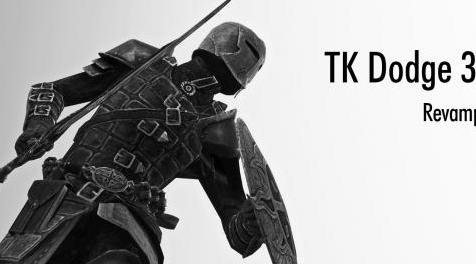
MOD介绍:
保持等待!移植到SE并非易事。 Fore和towawot之间的合作我离不开。谢谢。
描述
当玩家抽取武器,法术,工作人员和非武装时,此mod增加了使用键敲击的闪避动画。
道奇使用
键盘:
方向键(W,A,S,D)+减速键(默认值:左Alt键)
要么
双击方向键
游戏手柄:
模拟摇杆+减淡按钮(默认值:LB)
要么
双倾斜模拟杆(例如:向左倾斜 - >中立位置 - >向左倾斜=向左倾斜)
短按(快速按下并释放按钮)或向前轻按两次。
它可以在MCM中更改为正面方向+减光键。
特征
快速反应。
当玩家配备法术和工作人员时启用闪避。
玩家在闪避开始时有无敌的时间。
道奇可以取消攻击并阻止。
启用双击。
在MCM中启用设置。
轻载稳定。
安装
要求的天际1#5#62+
要求SKSE 2#0#11+
必需的SkyUI 5.2SE
如果您不安装SKSE,
“skse64_1_5_50.dll”,“skse_loader64.exe”,“skse64_steam_loader.dll”和“数据”文件夹移动到您的Skyrim安装文件夹。
(<Steam安装文件夹> \ Steam \ steamapps \ common \ skyrimspecialedition \)
1.使用您的mod管理器安装并激活TKDodge.esp。
2.如果玩家可以躲闪但留在原地并使用虚拟mod管理工具,例如Mod Organizar,将文件直接放在Skylim的Data文件夹中。
与FNIS一起使用
此mod在没有FNIS的情况下工作,但如果与FNIS一起使用,则需要补丁。
1.下载FNIS 7.1+。
2.运行“Data \ tools \ GenerateFNIS_for_Users \ GenerateFNISforUsers.exe”。
3.从底部补丁列表中检查tktk1的“TK Dodge / Ultimate Combat”。
4.按“更新FNIS行为”。
5.等到安装完成。
卸载
打开控制台命令窗口。
输入以下内容:
StopQuest aaaTKDodgeQuest
保存并关闭Skyrim,然后删除mod管理器中的文件。
组态
如果安装了SkyUI 5.2SE,SkyUI的Mod配置菜单中会有一个Dodge Mod菜单,有多种选项。
控制设置
- 输入法
选择操作以使用闪避。
键盘:dodgekey + directionalkey。
GamePad:dodgebutton +方向。
简单:按下闪避键闪避后退。
- DodgeKey
按下所选键进行闪避操作。 (默认值:键盘:left-alt或XBox控制器:LB)
- 双击输入
设置是否通过双击接受输入。
- 选择操作以使用前向双击。
什么都不做:关闭
道奇罗尔:道奇卷
冲刺:冲刺
其他设置
- StaminaCost
设置闪避耐力成本。默认值:10.0
- 无敌时间
在躲避的同时设置无敌的时间。默认值:0.3
- 携带条件
当玩家超过携带重量限制时,道奇不可用。如果玩家不能总是躲闪,请尝试禁用此选项。
- Step Dodge
注意:需要使用FNIS。您可以从掷骰子切换到步进躲闪。
故障排除
球员无法躲闪
尝试以下五种方法。
画出武器。
如果修改了携带重量,请取消选中MCM中的“携带条件”。
在MCM中将控制设置设置为默认值。
重新下载并重新安装SKSE和此mod。
保存游戏,然后重新加载保存。
打开控制台命令窗口。键入以下内容:
StopQuest aaaTKDodgeQuest
StartQuest aaaTKDodgeQuest
玩家可以躲闪,但不能从一个地方移动。
如果你使用虚拟化mod管理工具,如Mod Organizer,那么
必要的文件(data \ meshes \ ~DynamicDataSingleFile.txt)可能不是
在那种情况下生成。
解决方案:
将所有的mod文件直接复制到“Skyrim的文件夹\数据文件夹”。
或者尝试在下面的步骤中工作。
打开文件资源管理器导航到\ steam \ steamapps \ common \ skyrim文件夹。
右键单击TES.exe,然后选择“属性”。
选择“兼容性”选项卡,然后单击“以管理员身份运行此程序”框。单击确定...完成
使用skse_loader.exe和你的mod管理器也可以执行上述步骤,例如: NexusClient.exe或ModOrganizer.exe
已知问题/错误
闪避无敌时无法恢复或获得任何效果。
兼容性
- FNIS
它是cmopatible,但补丁是必要的。请参阅安装“与FNIS一起使用”。
- 正确的法术施法方向
- 双匕首动力攻击速度修复
包括等效功能。
特别谢谢
Himika
Generich
Solbianca
Borgut1337
前面
towawot
————————————————————————————————————————————————————
日本語の説明はブログ記事にて
Kept you waiting! Porting to SE was never easy. I could not do without cooperation between Fore and towawot. Thanks.
Description
This mod adds dodge animation of using key tapping when player drawn weapons, spell, staff and unarmed.
Dodge using
Keyboard:
Directional keys (W,A,S,D) + Dodge key (Default:Left Alt key)
or
Double-tapping directional keys
GamePad:
Analog stick + Dodge button(Default:LB)
or
Double-tilting analog stick (Example:tilt left->neutral position->tilt left = left dodge)
Short press (press and release a button quickly) or double tap in the forward direction.
It can be changed to front direction + Dodge key in MCM.
Feature
Quick response.
Enable dodge when the player is equipped spell and staff.
Player has invincible time at the start of dodge.
Dodge enables cancel attack and block.
Enable Double-Tapping.
Enable setting in MCM.
Light load and stable.
Installation
Required Skyrim 1#5#62+
Required SKSE 2#0#11+
Required SkyUI 5.2SE
If you do not install SKSE,
"skse64_1_5_50.dll", "skse_loader64.exe", "skse64_steam_loader.dll" and "Data" Folder move to your Skyrim Installation Folder.
(<Steam install folder>\Steam\steamapps\common\skyrimspecialedition\)
1. Install and activate TKDodge.esp with your mod manager.
2. If player can dodge but stay in place and you use virtual mod management tool e.g. Mod Organizar, put files directly in Skylim's Data folder.
Use with FNIS
This mod works without FNIS, but a patch is required if you use with FNIS together.
1. Download FNIS 7.1+.
2. Run "Data \ tools \ GenerateFNIS_for_Users \ GenerateFNISforUsers.exe".
3. Check tktk1's "TK Dodge / Ultimate Combat" from the bottom patch list.
4. Press "Update FNIS Behavior".
5. Wait until the installation is complete.
Uninstallation
Open the Console Command Window.
Type the following:
StopQuest aaaTKDodgeQuest
Save and close Skyrim, and then delete the files in your mod manager.
Configuration
If SkyUI 5.2SE is installed, there will be a Dodge Mod menu in SkyUI’s Mod Configuration Menu with various options.
Control Settings
- Input Method
Choose operation to use the dodge.
Keyboard: dodgekey + directionalkey.
GamePad: dodgebutton + directions.
Simple: press dodge key to dodge to back.
- DodgeKey
Press the chosen key for the dodge action. (default: Keyboard:left-alt or XBox controller:LB)
- Double tap input
Set whether or not to accept input by double tap.
- Choose operation to use Forward double-tapping.
Do Nothing: OFF
DodgeRoll: Dodge roll
Sprint: Sprint
Other Settings
- StaminaCost
Set dodge stamina cost. Default:10.0
- InvincibleTime
Set invincible time while dodging. Default:0.3
- Carry Condition
Dodge is not available when player over the carry weight limit. If the player cannot dodge always, try to disable this option.
- Step Dodge
Note: Required FNIS for use. You can switch from roll dodge to step dodge.
Troubleshooting
Player cannot dodge
Try following five ways.
Drawn a weapon.
Uncheck "Carry Condition" in MCM, if you modify carry weight.
Set control settings to default in MCM.
Redownload and reinstall SKSE and this mod.
Save a game and then reload the save.
Open the Console Command Window.Type the following:
StopQuest aaaTKDodgeQuest
StartQuest aaaTKDodgeQuest
Player can dodge, but cannot move from a place.
If you use virtualization mod management tool such as Mod Organizer, the
necessary file(data\meshes\~AnimationDataSingleFile.txt) may not be
generated in that case.
Solutions:
Copy this mod files of all to "Skyrim's folder\Data folder" directly.
Or try to work below steps.
Open file explorer navigate to your \steam\steamapps\common\skyrim folder.
Right click on TES.exe then choose Properties.
Select the Compatibility tab, then click the box by Run this program as an administrator. Click Ok...done
Do the above steps also with skse_loader.exe and your mod manager e.g. NexusClient.exe or ModOrganizer.exe
Known issues/bugs
Cannot recover or get anything effects during dodge's invincibility.
Compatibility
- FNIS
It is cmopatible but the patch is necessary. Refer to the installation "use with FNIS".
- Proper Spell Casting Direction
- Dual Dagger Power Attack Speed Fix
Equivalent features are included.
Special Thanks
Himika
Generich
Solbianca
Borgut1337
fore
towawot
资源查找:
最新文章
点击热榜
推荐问答
- [问答]情商课一般几岁孩子去学比较好?
- [问答]怎么看自己孩子情商低不低?孩子情商低的10大特征是真的吗?
- [问答]我想提高情商和说话要看什么书?
- [问答]顾三月情感课程pdf谁有?
- [问答]谁有情感培训课程资源?
- [问答]如何看卖情感课程正规还是不正规?
回复区
昵称:
邮箱:
内容: