上古卷轴5:重置版MOD Alex的Reshade预设
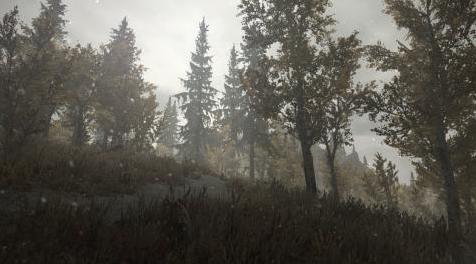
MOD介绍:
你好。
我和你分享我的Reshade预设。
它是大气的,非常非常友好。
让我们记住,dxgi.dll不是像enb dlls这样一个奇怪的瓶颈。
细节:
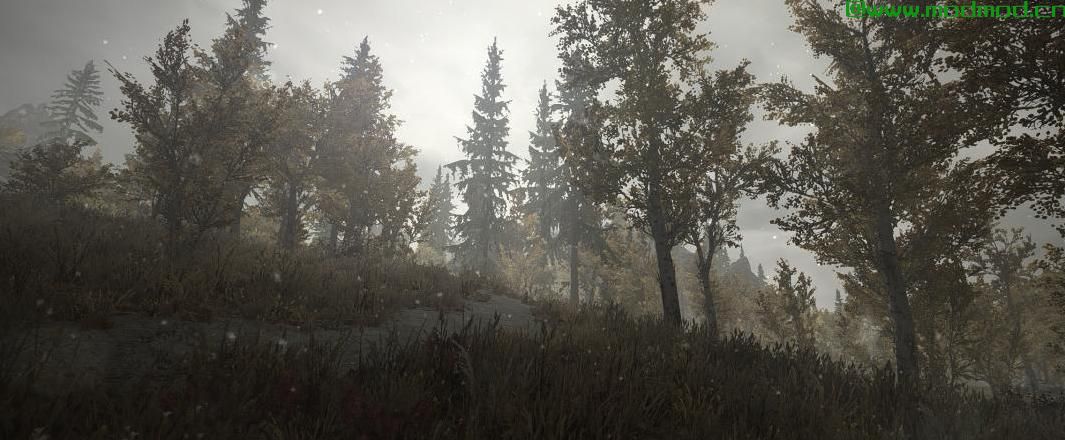
这是一个更阴沉,冷静的预设,我做了。它兼容任何天气模块,所以你不必担心任何事情。
建议:
Dynavision for Depth of Field(如果你想要的话)
安装:
1.下载Reshade并运行安装程序:reshade.me/
2.然后你只需要将文本文件放在我的文件中,将其转储到你的skyrim主文件夹中,然后使用shift + f2并点击顶部栏上的箭头并选择''Alex's Reshade''。 (检查屏幕截图,看看我的意思,如果你没有找到箭头)
兼容性:
据我所知,你不能用ENB或者你可能会得到奇怪的图形错误。至少发生在我身上的事情。
关闭你不喜欢的效果:
按shift + f2,然后勾选你不喜欢的效果框。
将上传更多屏幕截图。
——————————————————————————————————————————————————
Hello.
Im sharing my Reshade preset with you.
It is atmospheric and very very performance friendly.
Lets keep in mind that the dxgi.dll isnt such a weird bottleneck like the enb dlls.
Details:
This is a more gloomy, cold reshade preset that ive made. its compatible with any weather mod so you dont have to worry about anything.
Recommendations:
Dynavision for Depth of Field (if you want that)
Installation:
1. Download Reshade and run the installer: reshade.me/
2. Then you only need to take the text file in my file, dump it in your skyrim main folder and then use shift + f2 and click on the arrow on the top bar and select ''Alex's Reshade''. (check the screenshots to see what i mean if you dont find the arrow)
Compatibility:
As far as i know, you cant use this with an ENB or you might get weird graphical bugs. Atleast thatd what happened to me.
Turning off effects you dont like:
Press shift+f2 and just tick off the boxes of the effects you dont like.
More screenshots will be uploaded.
演示截图:
资源查找:
最新文章
点击热榜
推荐问答
- [问答]情商课一般几岁孩子去学比较好?
- [问答]怎么看自己孩子情商低不低?孩子情商低的10大特征是真的吗?
- [问答]我想提高情商和说话要看什么书?
- [问答]顾三月情感课程pdf谁有?
- [问答]谁有情感培训课程资源?
- [问答]如何看卖情感课程正规还是不正规?
回复区
昵称:
邮箱:
内容: