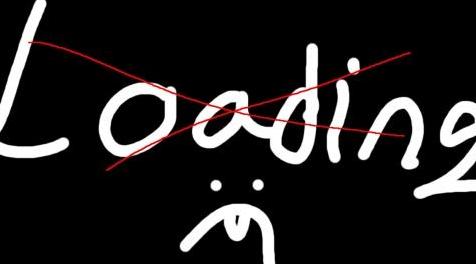
上古卷轴5:重置版MOD 稍微快速的黑色载入画面从理论上讲Lol这个标题很长你为什么还在读
MOD介绍:
我将遵循一个原则:首先是松散的格式。如果一个插件可以被ini设置和/或空网格/ swf替换,我会改为。
首先,引用:
“艺术是独立于swf文件。修改后的swf文件只是掩盖了艺术,并在此过程中也隐藏了提示和引号。” -Ahzaab
1 - 你可以通过删除Fade to Blacks来加快游戏速度。适用于每个版本的天际和后果4。
2 - 删除介绍(我确定你已经介绍过):
转到\ Documents \ My Games \ Skyrim Special Edition,打开skyrim.ini,在uExterior Cell Buffer = 36下添加“sIntroSequence =”(不带“”)并单独留下等号,不要在它旁边添加更多内容。
3 - 将您经常使用的所有保存移动到计算机上的另一个文件夹中,这样游戏就不会无缘无故地扫描它们。
4 - 禁用不再使用的HD模块,除非它绑定到插件(.esp文件)或脚本。网格和纹理很好。
5 - 尝试增加你的FPS。我从多个消息来源看到,增加FPS加速了天际加载屏幕。
6 - 从此页面安装所需的mod。
我的Mod的内容(All in one):
删除加载屏幕烟雾:
\ meshes \ interface:intmenufogparticles.nif
如何:删除除BSFadeNode之外的每个块,否则它将崩溃。 BSXFlag是不够的。
删除加载屏幕雾声:< - 这是您在加载保存时听到的灰尘声音。
\ sound \ fx \ ui \ loadscreen:ui_loadscreen_mist_01.wav
如何:将轨道静音并将频率降低到8000 Hz。长度不变以避免潜在的CTD。
删除载入画面型号:
\网\ loadscreenart
如何:删除除BSFadeNode之外的每个块,否则它将崩溃。 BSXFlag是不够的。
与以下SWF mod之一结合使用:
____________________________________________________使用loadingmenu.swf进行操作:(选择您喜欢的款式;简单黑色或信息性)
删除加载提示(空白加载屏幕)(从理论上讲,加载屏幕更快,但很难或无法注意到)
空白加载屏幕
要么
在加载时添加PC时钟和级别百分比(它不会使加载屏幕更快或更慢)
KenMOD - 加载屏幕上的时间;您必须通过将其放入Data \ Interface手动安装。您可以编辑包含的设置文件。
PS:一些mods删除主菜单天际符号,但从经验来看,它不会加快发布速度,也不会改善用户的体验。我建议使用Brumbek的壁纸替换器或Main Menu Spinning Skyrim Emblem。我还建议使用Wirodeu的mod Clean Menu。它删除主菜单bethesda徽标,创建工具包新闻和mods按钮,并用空白文件替换介绍视频。如果安装JPEXS,则可以将标头的帧速率更改为255以使其更快。与其他swf文件相同,但不要触摸hudmenu.gfx,因为如果帧速率过高,通知将会消失。
我的建议:
继续使用它 - 不再需要等待门:与门进行交互将立即触发加载屏幕,而不是等到动画结束。
即时集装箱访问:相同但有箱子。
主菜单旋转天际会徽
清洁菜单
如果您对此非常认真,可以使用的工具:
JPEXS免费Flash反编译器;您可以打开swf文件,将标题帧速率设置为255并保存。像hudmenu.gfx这样的一些swf文件需要很慢才能读起来。
如果您遵循本指南,可以删除的Mod:
dgcooper的No Load Screen Art;他:更改了Ini设置,因此相机可以看到其他地方。我:清空松散的网格文件。同样的事情,但实际上禁用它们。
装载屏幕烟雾由护理员移除;同样的方法。
没有菜单和加载冒烟由IceKK;同样的方法。
由thetrueprZ清空Loadscreens;他:用esp删除文本并使用空的松散网格。从对象中删除描述的Oldrim插件。我们无法在没有esp的情况下删除文本,但swf文件可以隐藏文本。几个字节的文本似乎没有受到伤害所以我会优先考虑swf。
Silverglade删除Load Screen Art; 他:空松散的网格。 与我不同,他没有做DLC网格。
由Di3sIrae为USLEEP清洁装载屏幕; 他:删除网格并将描述更改为加载。 依靠来自oldrim的非官方天际补丁。
GrimBeaverNMM的简单装载屏幕; 与Di3sIrae相同。 依赖来自oldrim的非官方天际补丁。
Tybali的中性装载屏幕; 他:将loadingmenu.swf更改为主菜单,没有关卡,描述和烟雾。 使用空白加载屏幕是我个人的选择。 此外,如果您查看帖子标签,有些人会遇到mod的问题。
KenMOD - Kenney的加载游戏; 虽然有趣,但负载通常太短而无法发挥。 如果你使用它,你不能使用loadingmenu.swf mods。
WizardDev的LoadTime UI调整; 他删除了介绍,加载了烟雾,并添加了一个空白的加载屏幕,但mod比空白加载屏幕稳定性差。
————————————————————————————————————————————————————————
I will follow a principle: Loose format first. If a plugin can be replaced by a ini setting and/or empty meshes/swf, I will do that instead.
First, a quote:
"art is rendered independent of the swf file. The modified swf files just cover up the art and in the process also hide the tips and quotes." -Ahzaab
1 - The most important change you can make to speed up your game is by removing the Fade to Blacks. Works for every version of skyrim and fallout 4 too.
2 - Remove the intro (i'm sure you have already but):
Go to \Documents\My Games\Skyrim Special Edition, open skyrim.ini, add the line "sIntroSequence=" (without " ") under uExterior Cell Buffer=36 and leave the equal sign alone, do not add anything more next to it.
3 - Move all your saves except the ones you use regularly into another folder on your computer so the game does not scan them everytime for no reason.
4 - Disable the HD mods you don't use anymore unless it is bound to a plugin(.esp file) or script. Meshes and Textures are fine.
5 - Try increasing your FPS in general. I have seen from multiple sources that increasing the FPS speeds up skyrim loading screens.
6 - Install the mods you want from this page.
Content of my Mod (All in one):
Remove Loading Screen Smoke:
\meshes\interface : intmenufogparticles.nif
How to: Remove every block except the BSFadeNode otherwise it will crash. A BSXFlag is not enough.
Remove Loading Screen Mist Sound:<- This is the dust sound you hear when you are done loading a save.
\sound\fx\ui\loadscreen : ui_loadscreen_mist_01.wav
How to: Muted the track and reduced the frequency to 8000 Hz. The lenght is unchanged to avoid potential CTDs.
Remove Loading Screen Models:
\meshes\loadscreenart
How to: Remove every block except the BSFadeNode otherwise it will crash. A BSXFlag is not enough.
Use in conjunction with one of the following SWF mod:
____________________________________________________Mods using loadingmenu.swf: (Choose the style you prefer; Simply Black or Informative)
Remove Loading Hints (Blank Loading Screen) (Theoretically makes the loading screen faster but hard or impossible to notice)
Blank loading screen
or
Add PC Clock and Level Percentage on Loading (It does not make the loading screen faster or slower)
KenMOD - Time on loading screen ; You have to install manually by dropping it in Data\Interface. You can edit the settings file included.
PS: Some mods remove the main menu skyrim symbol but from experience, it does not speed up the launch nor does it improve the experience of the user. I suggest using a wallpaper replacer or Main Menu Spinning Skyrim Emblem by Brumbek. I also suggest using the mod Clean Menu by Wirodeu. It removes the main menu bethesda logo, creation kit news and mods button and replaces the intro video by a blank file. If you install JPEXS, you can change the frame rate of the header to 255 to make it faster. Same thing with the other swf files but do not touch hudmenu.gfx because your notifications will be gone if the frame rate is too high.
My suggestions:
Get On With It - No more waiting for doors : Interacting with a door will trigger the loading screen right away instead of waiting until the animation finishes.
Instant Container Access : Same but with chests.
Main Menu Spinning Skyrim Emblem
Clean Menu
A tool you might use if you are really serious about this:
JPEXS Free Flash Decompiler ; You can open the swf files, set the header frame rate to 255 and save. Some swf files like hudmenu.gfx need to be slow to be readable.
Mods that can be removed if you follow this guide:
No Load Screen Art by dgcooper ; Him: Changed Ini settings so the camera looks elsewhere. Me: Empty loose mesh files. Same thing but actually disables them.
Loading Screen Smoke Removed by The Care Taker ; Same method.
No Menu and Loading Smoke by IceKK ; Same method.
Empty Loadscreens by thetrueprZ ; Him: Removes the text with an esp and use empty loose meshes. Oldrim plugin with description removed from the objects. We can't remove the text without an esp but a swf file can hide the text. A couple bytes of text doesn't seem to hurt so I would prioritize swf.
Cleaner Loading Screen by HakitoJin ; Him: Removes the meshes with an esp. Me: I use blank meshes instead.
Empty loading screens by thelawfull ; Him: Removes the text and meshes with an esp. Pretty good but we can achieve something similar with blank meshes and black swf.
Remove Load Screen Art by Silverglade ; Him: Empty loose meshes. He did not do the DLC meshes unlike me.
Clean Loading Screens for USLEEP by Di3sIrae; Him: Removes meshes and changed descriptions to Loading. Relying on unofficial skyrim patch from oldrim.
Simple LOADING Screen by GrimBeaverNMM ; Same as Di3sIrae. Relies on unofficial skyrim patch from oldrim too.
Neutral loading screen by Tybali ; Him: Changed the loadingmenu.swf to look like the main menu without level, description and smoke. Using Blank Loading Screen instead is my personal choice. Also, some people have issues with the mod if you look into posts tab.
KenMOD - Loading Game by Kenney ; Although interesting, the loadings are generally too short to play. If you use this, you can't use loadingmenu.swf mods.
LoadTime UI tweaks by WizardDev ; He removed intro, loading smoke and added a blank loading screen but the mod was less stable than Blank loading screen.
资源查找:
最新文章
点击热榜
推荐问答
- [问答]情商课一般几岁孩子去学比较好?
- [问答]怎么看自己孩子情商低不低?孩子情商低的10大特征是真的吗?
- [问答]我想提高情商和说话要看什么书?
- [问答]顾三月情感课程pdf谁有?
- [问答]谁有情感培训课程资源?
- [问答]如何看卖情感课程正规还是不正规?
回复区
昵称:
邮箱:
内容: