上古卷轴5:重置版MOD TESArchive的CLI补丁 - CPTA
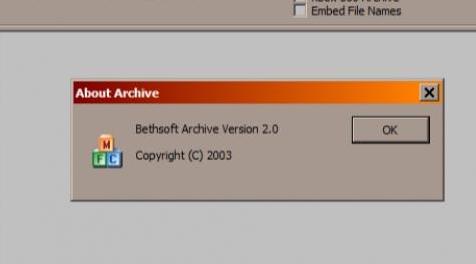
MOD介绍:
可以在批处理文件中使用TESArchive,也可以使用命令行参数。
它是一个Windows DLL模块,需要连接到原始的TESArchive可执行文件。
开源,包含项目的源代码。
使用DLL修补TESArchive
注意:您自己不需要这样做。其他人可能会为您执行此操作,并使用下面列出的所有工具和步骤在其末端修补可执行文件。
所需工具和实用程序:
CFF Explorer VII - 或其他可以修复Archive.exe以向其导入添加新DLL的程序.CFF Explorer VII是Daniel Pistelli的Explorer Suite的一部分,可以从这里免费下载。
Archive.exe - 安装Creation Kit后位于游戏的以下子目录中:“\ Tools \ Archive \ Archive.exe”。此时,使用Creation Kit v1#5#3.0更新于2019-01-29。
cpta_dll.dll - 使用此项目构建的DLL文件。
脚步:
*将“cpta_dll.dll”复制到“Archive.exe”所在的文件夹/目录中。
*启动CFF Explorer VII。
*在主菜单中选择“文件”,然后选择“打开”并浏览“Archive.exe”。
*从左侧列表中选择“导入加法器”。
*在主窗口的中间。找到并按“添加”按钮。
*浏览并选择“cpta_dll.dll”。
*在下面的列表中,“导出的功能”列表中的所有按钮,
选择它的单个项目 - 如果它尚未被选中。
*按“按名称导入”按钮。
*按“重建导入表”按钮。
*选择主菜单“文件”,然后选择“另存为”并保存
您从“Archive_cpta.exe”开始的目录。
从现在开始,以旧方式修补“Archive_cpta.exe”,通过单击其图标,您将至少获得以下一种错误消息:
1.缺少名为“cpta_dll.dll”的DLL文件。
2.尚未找到环境变量ASCP_INPUT_DIR。
CPTA DLL配置
一旦修补了TESArchive,或者有人为您修补了它,您就可以在shell脚本或其他外部实用程序中使用它。以下环境变量由“cpta_dll.dll”使用。
ASCP_INPUT_DIR - 将创建BSA存档的输入目录名称内容。此路径应指向名为“Data”的目录。最初,在未修补版本中,这是“编辑” - “添加目录”选项。
ASCP_OUTPUT_BSA - 输出BSA文件名。必须以'.bsa'扩展名结尾。
ASCP_CONF - 可选配置。分号分隔(“;”)键值对以预先配置主TESArchive GUI窗口。请参阅选项名称的批处理文件示例。
通常,在使用批处理脚本(.BAT)时,使用“SET”命令分配上述环境变量。
批处理脚本示例
@echo关闭
SET ASCP_INPUT_DIR = C:\ bsa_data \ Data
SET ASCP_OUTPUT_BSA = C:\ bsa_data \ output.bsa
SET ASCP_CONF = bRemoveBSL = 0; bCLIOnly = 0; bHidden = 0; bNoQuit = 0; types2 = eCompress,eMeshes,eTextures,eMisc
\ Archive_cpta.exe
回声状态:%ERRORLEVEL%
SET ASCP_INPUT_DIR =
SET ASCP_OUTPUT_BSA =
SET ASCP_CONF =
暂停
从源代码编译CPTA DLL项目
注意:您不需要这样做。您将在下载部分找到已编译的版本。
使用的软件
* MS Visual C ++编译器 - 使用Visual Studio 2017(又名MSVC2017)测试,应该与旧版本一起使用
* Windows SDK - 使用v7.1测试(通常使用MSVC安装Windows SDK)
* Detours软件包 - 使用v4#0#1进行测试。链接
必须为64位Windows体系结构编译源代码。
编译器选项:/ DDETOURS_TARGET_PROCESSOR = x64
链接器选项:/ dll
Detours构建配置
有关Detours软件包的一些说明。使用提供的配置makefile构建绕道。或者,使用以下编译器标志:
/ MT / Gy / Od / DDETOURS_TARGET_PROCESSOR = x64
/ DWIN32_LEAN_AND_MEAN / D_WIN32_WINNT = 0x501
链接和参考
我的Github页面:
github.com/ikk00
Detours软件包:
github.com/Microsoft/Detours
CFF Explorer VII和资源管理器套件:
ntcore.com/?page_id=388
安装Creation Kit:
www#creationkit#com/index.php?title=Category:Getting_Started
Bethesda.net仪表板:
bethesda.net/en/dashboard
————————————————————————————————————————————————————
Possibility to use TESArchive in Batch files and with command-line like parameters.
It is a Windows DLL module that needs to be attached to the original TESArchive executable.
Open source, with source code of the project available.
Patching TESArchive with the DLL
Note: you don't need to do this yourself. Someone else may do this for you and patch executable on his/her end with all the tools and steps listed below.
Tools and utilities needed:
CFF Explorer VII - or other program that can patch Archive.exe to add new DLL to its imports.CFF Explorer VII is part of Explorer Suite by Daniel Pistelli and can be downloaded for free from here.
Archive.exe - located in your following subdirectory of the game after Creation Kit has been installed: "\Tools\Archive\Archive.exe". At this moment, using Creation Kit v1#5#3.0 updated at 2019-01-29.
cpta_dll.dll - the DLL file build with this project.
Steps:
* Copy "cpta_dll.dll" to the same folder/directory "Archive.exe" is in.
* Start CFF Explorer VII.
* In the main menu select "File", then "Open" and browse for "Archive.exe".
* From the list on the left, select "Import Adder".
* Int the middle of the main window. find and press the "Add" button.
* Browse and select "cpta_dll.dll".
* In the list below all the buttons, in the "Exported Functions" list,
select its single item - if it's not selected already.
* Press "Import By Name" button.
* Press "Rebuild Import Table" button.
* Select main menu "File" then "Save As" and save in the same
directory you started from as "Archive_cpta.exe".
From now on when you start patched "Archive_cpta.exe" the old way, by clicking on its icon, you will get at least one type of the following error messages:
1. that the DLL file named "cpta_dll.dll" is missing.
2. that environment variable ASCP_INPUT_DIR has not been found.
CPTA DLL Configuration
Once you patched TESArchive, or someone patched it for you, you can use it in your shell scripts or with other external utilities. Following environment variables are used by "cpta_dll.dll".
ASCP_INPUT_DIR - Input directory name contents of BSA archive will be created from. This path should point to the directory named 'Data'. Originally, in the unpatched version, this is the "Edit" - "Add Directory" option.
ASCP_OUTPUT_BSA - Output BSA file name. Must end with the '.bsa' extension.
ASCP_CONF - Optional configuration. Semicolon separated (";") key-value pairs to pre-configure main TESArchive GUI window. See batch file example for option names.
Typically, when working with Batch scripts (.BAT), assign above environment variables using the "SET" command.
Batch Script Example
@echo off
SET ASCP_INPUT_DIR=C:\bsa_data\Data
SET ASCP_OUTPUT_BSA=C:\bsa_data\output.bsa
SET ASCP_CONF=bRemoveBSL=0;bCLIOnly=0;bHidden=0;bNoQuit=0;types2=eCompress,eMeshes,eTextures,eMisc
.\Archive_cpta.exe
echo status: %ERRORLEVEL%
SET ASCP_INPUT_DIR=
SET ASCP_OUTPUT_BSA=
SET ASCP_CONF=
pause
Compiling CPTA DLL Project from Sources
Note: you don't need to do this. You will find already compiled builds in the download section.
Software used
* MS Visual C++ Compiler - tested with Visual Studio 2017 (aka. MSVC2017), should work with older versions
* Windows SDK - tested with v7.1 (typically, install Windows SDK with MSVC)
* Detours software package - tested with v4#0#1. Link
Source code must be compiled for 64-bit Windows architecture.
Compiler options: /DDETOURS_TARGET_PROCESSOR=x64
Linker options: /dll
Detours Build Configuration
Some instructions regarding Detours software package. Build detours using provided configuration makefile. Alternatively, use following compiler flags:
/MT /Gy /Od /DDETOURS_TARGET_PROCESSOR=x64
/DWIN32_LEAN_AND_MEAN /D_WIN32_WINNT=0x501
Links and References
My Github page:
github.com/ikk00
Detours software package:
github.com/Microsoft/Detours
CFF Explorer VII and Explorer Suite:
ntcore.com/?page_id=388
Installing the Creation Kit:
www#creationkit#com/index.php?title=Category:Getting_Started
The Bethesda.net dashboard:
bethesda.net/en/dashboard
资源查找:
最新文章
点击热榜
推荐问答
- [问答]情商课一般几岁孩子去学比较好?
- [问答]怎么看自己孩子情商低不低?孩子情商低的10大特征是真的吗?
- [问答]我想提高情商和说话要看什么书?
- [问答]顾三月情感课程pdf谁有?
- [问答]谁有情感培训课程资源?
- [问答]如何看卖情感课程正规还是不正规?
回复区
昵称:
邮箱:
内容: