侠盗猎车手5「GTA5」Mod: 超低图形 - 英特尔赛扬
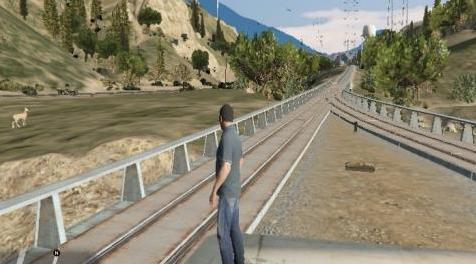
MOD介绍:
我希望这个mod你可以达到你想要的Pc游戏中的Fps,这个游戏几乎不需要对这个mod提供很好的支持
installation:
1: open the open iv and copy the update.rpf in the mods folder as well as common.rpf so as not to damage the original game file when editing.
2: The next thing we are going is to address asia the folder mods / update / update.rpf / common / data / timecycle and copy the files of the mod in timecycle.
3: then we do not direct in the following address mods / update / update.rpf / common / data and the file hbaosettings.xml and visualsettings.dat we copy it in data and ready.
4: after installing the files in the udpate.rpf now we will install the mod in the common.rpf
5: we went on this mods / common.rpf / data / address timecycle and copy the timecycle the mod.
6: mods / common.rpf / data and copy visualsettings.dat
一旦安装了整个过程,我们将复制游戏根目录中的commandline.txt以获得更高的Fps速度
如果你不喜欢分辨率宽度640, - 高度480.放置最推荐的宽度800,高度600。
现在让我们一起使用settings.xml安装我们要去Asia Documents \ Rockstar Games \ GTA V打开设置并输入我们的视频卡名称并关闭并保存配置并准备就绪
资源查找:
最新文章
点击热榜
推荐问答
- [问答]情商课一般几岁孩子去学比较好?
- [问答]怎么看自己孩子情商低不低?孩子情商低的10大特征是真的吗?
- [问答]我想提高情商和说话要看什么书?
- [问答]顾三月情感课程pdf谁有?
- [问答]谁有情感培训课程资源?
- [问答]如何看卖情感课程正规还是不正规?
实时热榜
回复区
昵称:
邮箱:
内容: