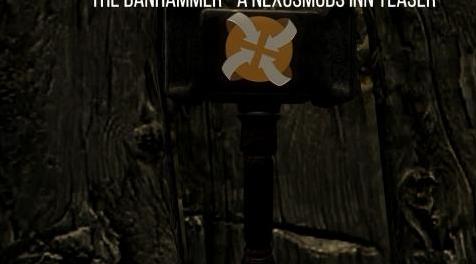
上古卷轴5:重置版MOD Banhammer SE - 一个NexusMods Inn预告片
MOD介绍:
描述
你好! 作为我的NexusMods Inn teasers的新转折,这里是Banhammer的预告片。 你会在TestingHall中找到它。 如果您不知道如何到达那里,只需在控制台中键入以下内容:
COC QASmoke
如果您不想这样做,请在控制台中输入:
帮助Banhammer
或者只是使用像AddItemMenu这样的mod将其添加到您的库存中。 由你决定。 请享用!
我不拥有SE。 所以这次转换是由我的朋友Chr1s0g完成的。
安装
将所有文件解压缩到Skryim Data文件夹中。
在您选择的mod管理器中激活Banhammer.esp文件。
卸载
删除以下文件:
Banhammer.esp
然后在以下位置删除Banhamer文件夹:
天际/数据/网格
和
天际/数据/纹理
积分
贝塞斯达 - 为天际和CK。
NexusMods - 因为如此,太神奇了。
Ghosu - 为他的Thor锤子mod并使他的mods免费使用。
Pickysaurus - 更新的Nexus徽标
Chr1s0g - 用于特别版转换
——————————————————————————————————————————————————————
Description
Hello! As a new twist on my NexusMods Inn teasers, here's a teaser mod for the Banhammer. You'll find it in the TestingHall. If you don't know how to get there just type the following in the console:
COC QASmoke
If you dont' want to do that, type this into the console:
Help Banhammer
or just use a mod like AddItemMenu to add it to your inventory. Up to you. Enjoy!
I don't own SE. So this conversion was done thanks to my friend Chr1s0g.
Installation
Extract all the files into your Skryim Data folder.
Activate the Banhammer.esp file in your chosen mod manager.
Uninstalling
Delete the following file:
Banhammer.esp
Then delete the Banhamer folders in the following places:
Skyrim/Data/Meshes
and
Skyrim/Data/Textures
Credits
Bethesda - For Skyrim and the CK.
NexusMods - For being so, so amazing.
Ghosu - For his Thor hammer mod and making his mods free to use.
Pickysaurus - For the updated Nexus Logo
Chr1s0g - For the Special Edition conversion
资源查找:
最新文章
点击热榜
推荐问答
- [问答]情商课一般几岁孩子去学比较好?
- [问答]怎么看自己孩子情商低不低?孩子情商低的10大特征是真的吗?
- [问答]我想提高情商和说话要看什么书?
- [问答]顾三月情感课程pdf谁有?
- [问答]谁有情感培训课程资源?
- [问答]如何看卖情感课程正规还是不正规?
回复区
昵称:
邮箱:
内容: