上古卷轴5:重置版MOD 潜行指标VR
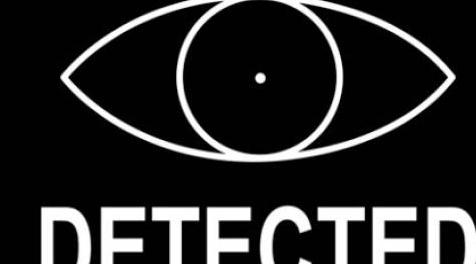
MOD介绍:
版本1.1补丁说明(更新):
BUG更新:火焰法术有一个错误(也可能是其他法术,但我还没有玩法师,我还没有时间彻底测试它),法术在施法时不会正常显示。你只能看到效果离开你的手并击中你的目标而不是看到一根火柱,整个柱子都被遮挡了。起初我以为它与我定位眼睛的位置有关,所以我移动了眼睛,它似乎修复了它。但是后来bug又回来了。重新开始游戏让它消失了。我需要做更多的测试,并且现实地我需要设置一个vanilla安装,所以我不是在我的modded安装上测试我的mod,但是必须进行一些。现在这个mod适用于远程和近战,但对于脚轮你可能有这个bug。然而这两个文件都已经过测试,它们一次都为我工作,所以我知道他们可以使用魔法,我只是不知道他们为什么不工作
添加了可选文件以删除“隐藏/检测到”消息
修复了双眼“低于”下罗盘的问题。以上应该现在正常工作。
修复了magicka法术中的问题,例如火焰在施法时无法正常显示。
删除Sneak VR:
这可以通过编辑vr_hmd_info.swf文件来实现。我只是用空白的.gif图像替换了潜行眼睛指示精灵的所有帧,以便它不会出现在游戏中。
通过将文件夹解压缩到主SkyrimVR文件夹中,使用mod manager或手动安装进行安装。
通过删除Data / Interface / vr / vr_hmd_info.swf中的.swf来卸载
较低的潜行VR:
这可以通过编辑skyvr_hmd_info.nif文件来实现。我将隐藏式动画投影的网格部分向下移动并调整其角度。目前它显示在指南针下方或指南针正上方,具体取决于您选择的文件。
指南针上方:看到眼睛的头部/眼睛疲劳较少,但是当你在视力的下半部分偷偷摸摸时会看到它很多。
指南针下方:你必须经常在身体上向下看才能看到它,但它会增加沉浸感,所以你不必总是在游戏中看到它,但可以选择在你想要的时候往下看。
通过将文件夹解压缩到主SkyrimVR文件夹中,使用管理器或手动安装进行安装。
通过删除Data / meshes / skyvr_hmd_info.nif中找到的.nif来卸载
没有潜行消息:
这将删除“隐藏/检测”消息,以便它不会显示。它是主要下载中未包含的可选文件。对于“指南针”眼睛来说这是特别理想的,因为现在眼睛紧贴在你的三个状态栏之间和指南针正上方,并且消息不会遮盖你的健康指示器。
未来更新:
我目前正在对整个HUD进行改造,包括移动/调整它以使其具有略微不同的感觉。然而,在我这样做之前,我需要弄清楚如何制作FOMOD安装程序,这样我就可以在一个地方拥有所有这些选项,并且可以轻松实现坐姿/站立和各种INI设置的兼容性。
兼容性和权限:
此mod应与所有其他mod兼容,除了修改这两个文件的任何mod。我允许任何和所有模块使用我的文件作为资源,有或没有信用。
Modders的其他信息:
在flatrim中,似乎仅仅编辑.swf文件允许你移动UI,而不是在VR中!每当我移动SWF文件中的任何内容时,游戏基本上每次都会进行CTD。这可能是我缺乏修改经验,但我相信VR的格式是不同的。
.swf图像似乎投影到.nif网格上。因此,如果要更改UI组件的位置/大小,则必须修改.nif网格文件而不是SWF。如果要更改图标的外观,可以像在oldrim中一样修改.swf。但是,您必须使用SkyrimVR.bsa中的文件来执行此操作,因为不使用其他HUD文件,例如在Interface和Patch BSA中找到的文件。
——————————————————————————————————————————————————
Version 1.1 Patch Notes (Updated):
BUG Update: There is a bug with the flames spell (and probably other spells too, but I haven't played a mage yet and I haven't had the time to test it thoroughly yet) where the spells wont display properly when cast. Instead of seeing a pillar of fire, you only see the effect leaving your hands and hitting your target- the whole pillar is obscured. At first I thought it had to do with where I was positioning the eye, so I moved the eye and it appeared to fix it. However later the bug returned. Restarting the game made it go away. I need to do more testing and realistically I need to set up a vanilla install so I'm not testing my mods on my modded install, but that will have to come in a bit. For now this mod works great for ranged and melee, but for casters you might have this bug. However both files have been tested and they both worked for me at one point, so I know they can work with magic, I just don't know why they are not working when they don't
Added optional file to remove the "hidden/detected" message
Fixed issue with both eyes being "below" the lower compass. Above should work properly now.
Fixed issue with magicka spells like flames from not displaying properly when cast.
Remove Sneak VR:
This works by editing the vr_hmd_info.swf file. I simply replaced all frames of the sneak eye indicator sprite with blank .gif images so that it wont show up in game.
Install with mod manager or manual install by extracting the folder into your main SkyrimVR folder.
Uninstall by deleting the .swf found in Data/Interface/vr/vr_hmd_info.swf
Lower Sneak VR:
This works by editing the skyvr_hmd_info.nif file. I moved the portion of the mesh that the sneak eye animation is projected onto down and tweaked its angle. Currently it shows up right below the compass or right above the compass depending on which file you choose.
Above Compass: Less head/eye strain to see the eye, however its going to be visible a lot when sneaking around in the lower portion of your vision.
Below Compass: You have to usually physically look down to see it, but it increases immersion so you dont have to always have it in view when playing but have the option to look down when you want.
Install with manager or manual install by extracting the folder into your main SkyrimVR folder.
Uninstall by deleting the .nif found in Data/meshes/skyvr_hmd_info.nif
No Sneak Message:
This removes the "Hidden/Detected" message so it wont display. Its an optional file not included in the main download. This is especially ideal with the "Above Compass" eye because now the eye is snug in between your three stat bars and right above the compass and the message wont ever obscure your health meter.
Future Updates:
Im currently working on a revamp of the entire HUD including moving/resizing it to give it a slightly different feel. However before I do that I need to figure out how to make a FOMOD installer so I can have all these options in a single place, and easily be able to implement compatibility for seated/standing and various INI settings.
Compatibility & Permissions:
This mod should be compatible with all other mods, except any which modifies these two files. I give permission to any and all modders to use my files as a resource with or without credit.
Additional Info for Modders:
In flatrim it seems that merely editing the .swf file allowed you to move the UI around, not so in VR! Whenever I moved anything in the SWF files the game would CTD basically every time. It may be my lack of modding experience, but I believe that the format for VR is different.
The .swf images appear to be projected onto the .nif mesh. Thus if you want to change location/size of UI components, you must modify the .nif mesh file and not the SWF. If you want to change the appearance of icons, you modify the .swf like in oldrim. However, you must use the files found in SkyrimVR.bsa to do so because the other HUD files such as found in the Interface and Patch BSA's are not used.
资源查找:
最新文章
点击热榜
推荐问答
- [问答]情商课一般几岁孩子去学比较好?
- [问答]怎么看自己孩子情商低不低?孩子情商低的10大特征是真的吗?
- [问答]我想提高情商和说话要看什么书?
- [问答]顾三月情感课程pdf谁有?
- [问答]谁有情感培训课程资源?
- [问答]如何看卖情感课程正规还是不正规?
回复区
昵称:
邮箱:
内容: