上古卷轴5:重置版MOD 角色扮演者的天际角色开发者
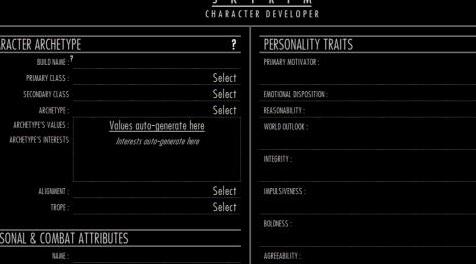
MOD介绍:
“字符”
[KAR-IK叔]
名词
a:构成和区分个人的属性或特征之一
b:用于将可区分的事物分类为类别的功能
c:标记和经常个性化的精神和道德特征的复合体
个人,团体或国家
d:主要或基本性质,特别是强烈标记和用于区分
- Merriam-Webster字典
描述
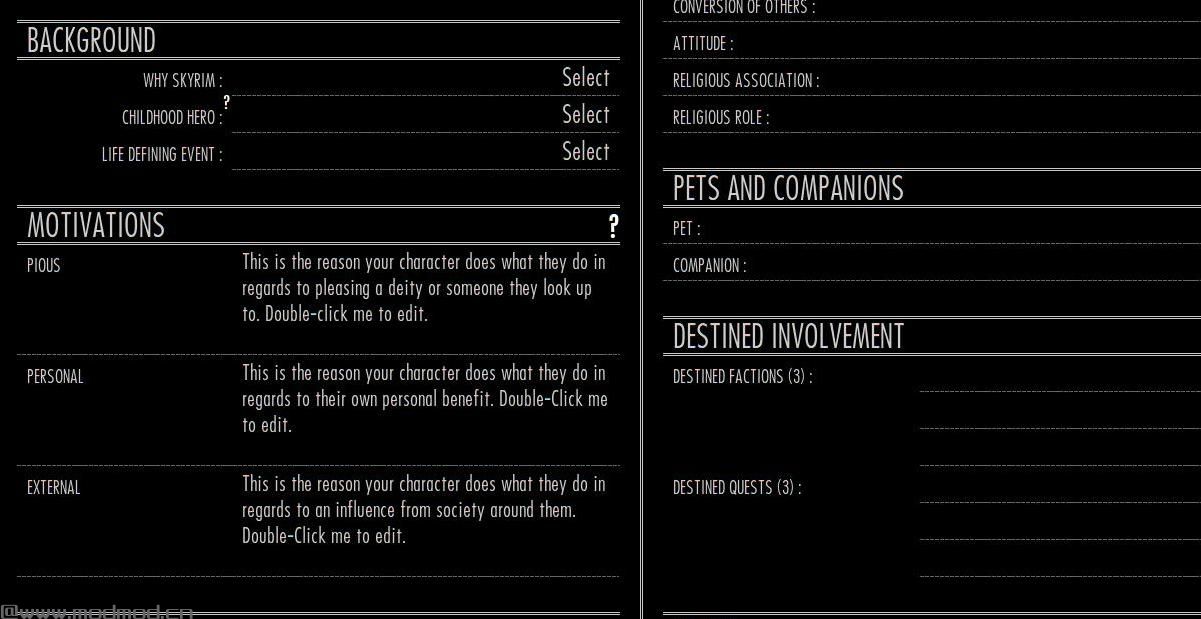
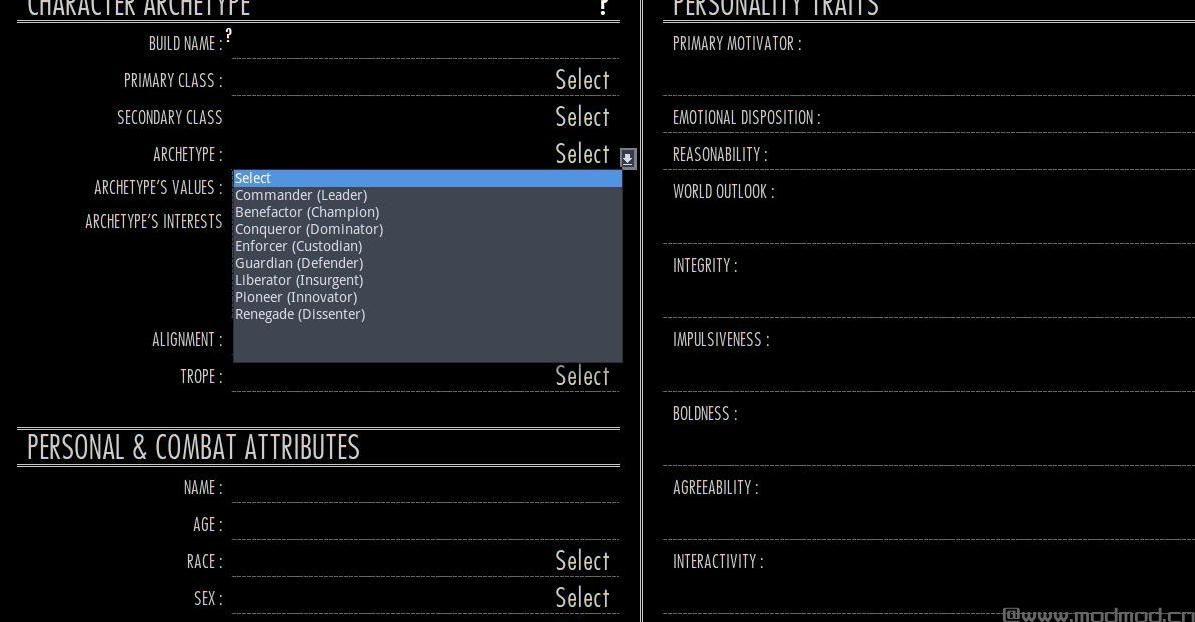
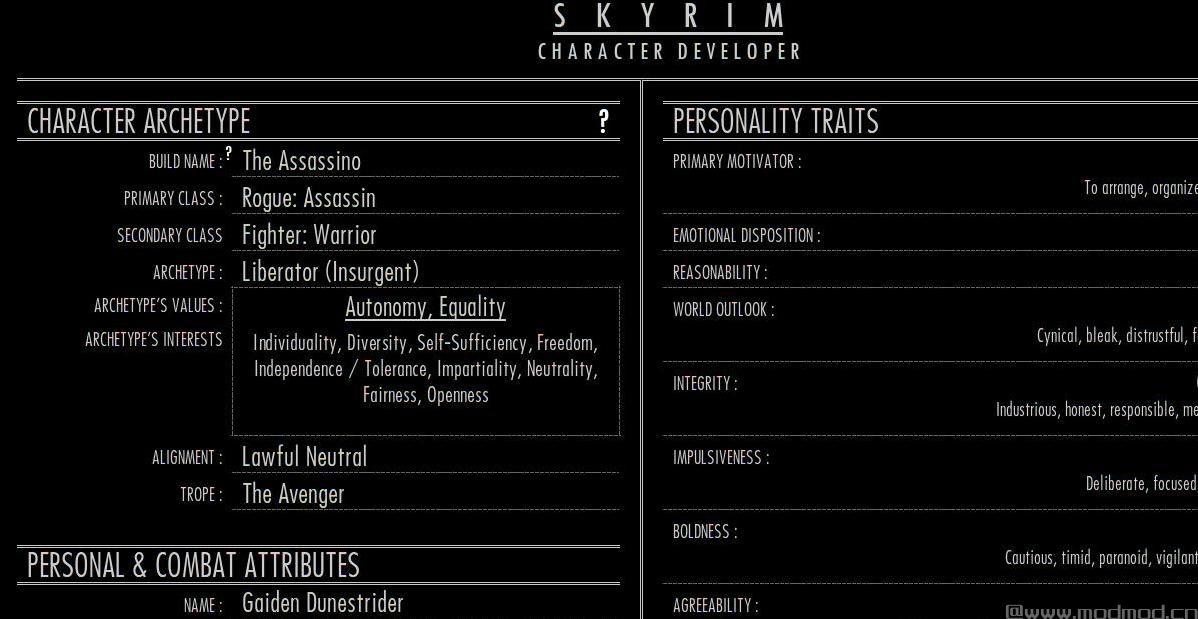
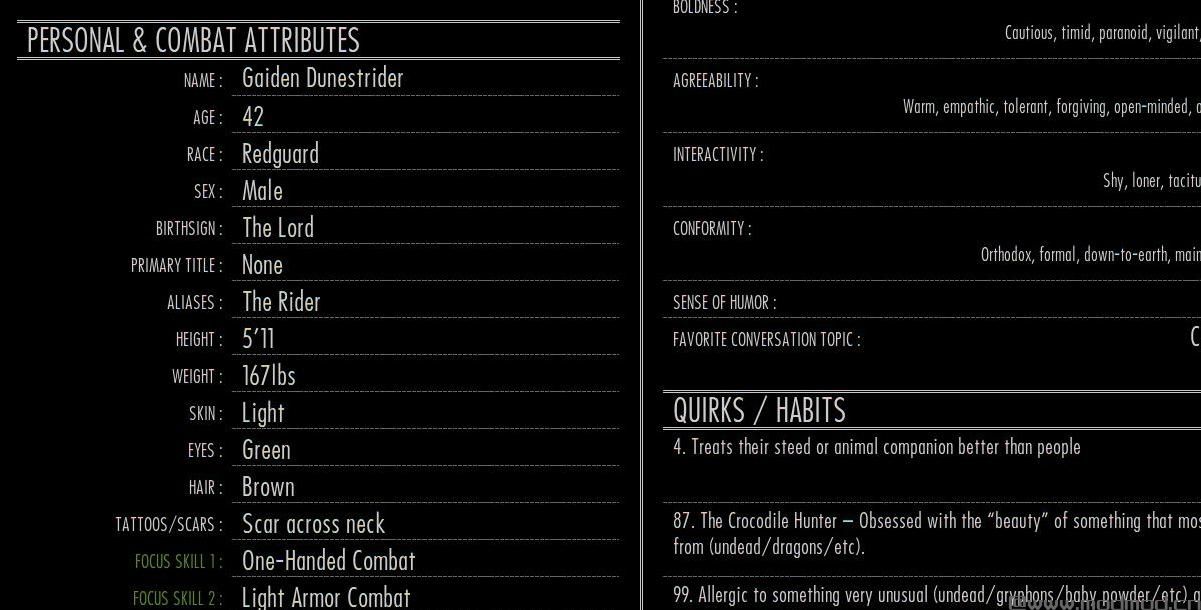
天际角色开发者是一个面向角色扮演的角色表实用程序,在动态LibreOffice Calc电子表格文件中格式化,允许您为角色的个性,动机,社会身份和背景规划和创建清晰而独特的个人资料。它不是游戏模式,而是用于记录角色扮演游戏中有关角色个人身份信息的资源。
本电子表格中使用的许多想法,概念和术语都是从我编译成方便的分析系统的许多在线资源中提取的。这可以用于游戏中或游戏外角色开发。无论您是运行YouTube角色扮演系列还是参与任何其他形式的角色扮演或粉丝小说,您都应该能够找到这个角色表,以便为您希望角色是谁/想要什么以及如何为您建立清晰的想法想要角色扮演他们!
部分的布局和顺序反映了一种旨在培养良好的角色整体观念的方法。诸如原型,类和转义之类的广义属性放在表格的顶部,而不是字符名称,年龄,性别,外观等。这受到以下事实的影响:大部分时间我想出了一个角色的想法在我得到名字和其他细节之前,我经常会提到这些一般化的想法。虽然你可以用你想要的任何方式填写它,但这个演示顺序旨在鼓励你以这种方式开发角色。
新的0#8#5!
PROFILE SHEET选项卡:添加了有组织的角色配置文件显示选项卡,可在您构建角色时自动填充信息,其中包括用于添加自己图像的角色肖像区域。非常适合出口作为图像或pdf与他人分享!
使用
下载(手动)并将zip解压缩到您希望的任何文件夹
使用LibreOffice Calc,Microsoft Excel或任何其他支持od格式的电子表格程序打开“Skyrim Character Developer Template.ods”。
记下Welcome选项卡的内容,然后切换到Character Gen选项卡
按照您希望的顺序填写字段,并根据您的需要填写完整或不完整的字段,使用下拉选择列表为您提供各种想法,或者输入您自己的内容
完成后,“另存为...”或“另存为复制...”将您的角色保存到您想要的任何名称下的任何文件夹(可选择保存到所提供的字符文件夹中)(构建名称/角色名称) / etc)。
要求
这个字符表系统是使用Calc在免费和开源的LibreOffice套件中创建的,因此LibreOffice(或Microsoft Excel)是使用它的唯一要求。
已知的问题
截至最新版本,我无法想到,但如果遇到任何版本,请随时在帖子部分分享。
如果使用MICROSOFT EXCEL:根据那些尝试过的人的大多数评论,这个电子表格应该可以与Microsoft Excel一起使用,因为你使用的是最新版本。我自己不拥有Excel,因此如果您遇到错误,请随时在帖子页面上报告,以便其他人帮助。
提示:在MOD组织者中添加一个方便的快捷方式
如果您希望从Mod Organizer中方便地访问新的空白工作表或已编辑的工作表,您可以通过以下步骤进行操作:
单击顶部的齿轮图标以打开可执行文件配置程序
填写标题 - “角色开发者”(如果从空白开始),或者如果链接到已编辑的文件,则填写您的角色名称。
在二进制部分中,单击[...]按钮以浏览LibreOffice Calc可执行文件(或者您正在使用的任何电子表格程序的exe文件)。
在“开始时间”部分中,单击[...]并将其指向角色开发者模板(或编辑的工作表文件)所在的文件夹。
在Arguments部分中,输入模板文件本身的名称,并用引号括起来。 (例如“Skyrim Character Developer Template.ods”)
单击“添加”按钮,然后关闭。您的快捷方式现在应显示在“运行”选项列表中。通过在“运行”选项中选择它并单击“快捷方式”按钮并选择“工具栏”,可以将其添加为工具栏快捷方式。
点击它现在应该运行电子表格程序并调用要打开的文件。如果出现错误,请确保正确执行上述步骤,特别是在“参数”部分中的文件名周围加上引号,并确保文件名拼写正确!
信用
这个角色表中的大多数想法和概念都不是我的,而是来自我花时间研究的几个在线资源。 这些来源在文件的第一个标签中得到了认可! 请给予他们支持和感谢!
分享你的反馈
我很乐意在讨论中听到您的反馈! 请跳进去告诉我你的想法!
- 变形虫
————————————————————————————————————————————————————————
"CHARACTER"
[kar-ik-ter]
noun
a : one of the attributes or features that make up and distinguish an individual
b : a feature used to separate distinguishable things into categories
c : the complex of mental and ethical traits marking and often individualizing
a person, group, or nation
d : main or essential nature especially as strongly marked and serving to distinguish
- Merriam-Webster Dictionary
DESCRIPTION
The Skyrim Character Developer is a role-play oriented character sheet utility, formatted inside a dynamic LibreOffice Calc Spreadsheet file, and allows you to plan and create clear and distinctive profiles for your characters' personalities, motivations, social identities, and backgrounds. It is not a game mod, but a resource for noting down information about your characters' personal identities for role-play purposes.
Many ideas, concepts and terms used in this spreadsheet draw from a number of online sources which I have compiled into a convenient profiling system. This can be used for either in-game or out-of-game character development. Whether you run a YouTube role-play series or participate in any other form of role play or fan fiction, you should be able to find this character sheet useful for establishing crystal clear ideas for who/what you want your characters to be and how you want to role play them!
The layout and order of sections reflects an intended approach to developing a good overall idea of your character. Generalised attributes such as archetype, class, and trope are put at the top of the sheet rather than character name, age, gender, appearance, etc. This was influenced by the fact that much of the time I come up with ideas for a character, it is often these generalised ideas that I start with before I get to names and other specifics. Although you can fill it out in whatever way you'd like, this order of presentation is intended to encourage you to develop a character in just this way.
NEW IN 0#8#5!
PROFILE SHEET TAB: An organized character profile display tab has been added which auto-fills information as you build your character, which includes a character portrait area to add your own image to. Excellent for exporting as an image or pdf to share with others!
TO USE
Download (Manually) and extract the zip to any folder you wish
Open "Skyrim Character Developer Template.ods" with either LibreOffice Calc, Microsoft Excel, or any other spreadsheet program that supports ods formatting.
Take note of what the Welcome tab says, and after, switch to the Character Gen tab
Fill out the fields in whatever order you wish and as complete or incomplete as you'd like, using drop-down selection lists which provide you with assortments of ideas, or typing in your own
When you're finished, "Save As..." or "Save as Copy..." to save your character to any folder (optionally into the character folder provided) under any name you'd like (build name / character name / etc).
REQUIREMENTS
This character sheet system was created in the free and open source LibreOffice suite using Calc, therefore LibreOffice (or Microsoft Excel) is the one and only requirement to use this.
KNOWN ISSUES
As of the lastest version, there are none I can think of, but if you run into any, feel free to share them in the posts section.
IF USING MICROSOFT EXCEL: According to most comments by those who have tried, this spreadsheet should work fine with Microsoft Excel given you are using a recent version. I don't own Excel myself, so if you get errors, feel free to report them on the posts page for others to help with.
TIP: ADDING A CONVENIENT SHORTCUT IN MOD ORGANIZER
If you would like to have convenient access from within Mod Organizer to either a new blank sheet or an already edited sheet, you can do so by the following steps:
Click the gear icon at the top to open the executables configurator
Fill in the title - "Character Developer" (if starting from blank), or your character name if linking to an already edited file.
In the Binary section, click the [...] button to browse to the LibreOffice Calc executable (or the exe to whatever spreadsheet program you are using).
In the Start In section, click the [...] and point it toward the folder that the Character Developer Template (or edited sheet file) is located.
In the Arguments section, put in the name of the template file itself, surrounded by quotations. (ex. "Skyrim Character Developer Template.ods")
Click the Add button, and close. Your shortcut should now appear in the list of Run options. Feel free to add it as a toolbar shortcut by selecting it in the Run options and clicking the "Shortcut" button and selecting "Toolbar".
Clicking it should now run the spreadsheet program and call the file to be opened. If there is an error, make sure you followed the above steps correctly, particularly putting quotations around the file name in the Arguments section and making sure the file name is spelled correctly!
CREDIT
Most of the ideas and concepts in this character sheet are not mine, but draws from several online sources I have spent time researching. These sources have been given credit within the first tab of the file! Please give them your support and thanks!
SHARE YOUR FEEDBACK
I would love to hear your feedback in the discussions! Please hop in and let me know what you think!
- Proteus
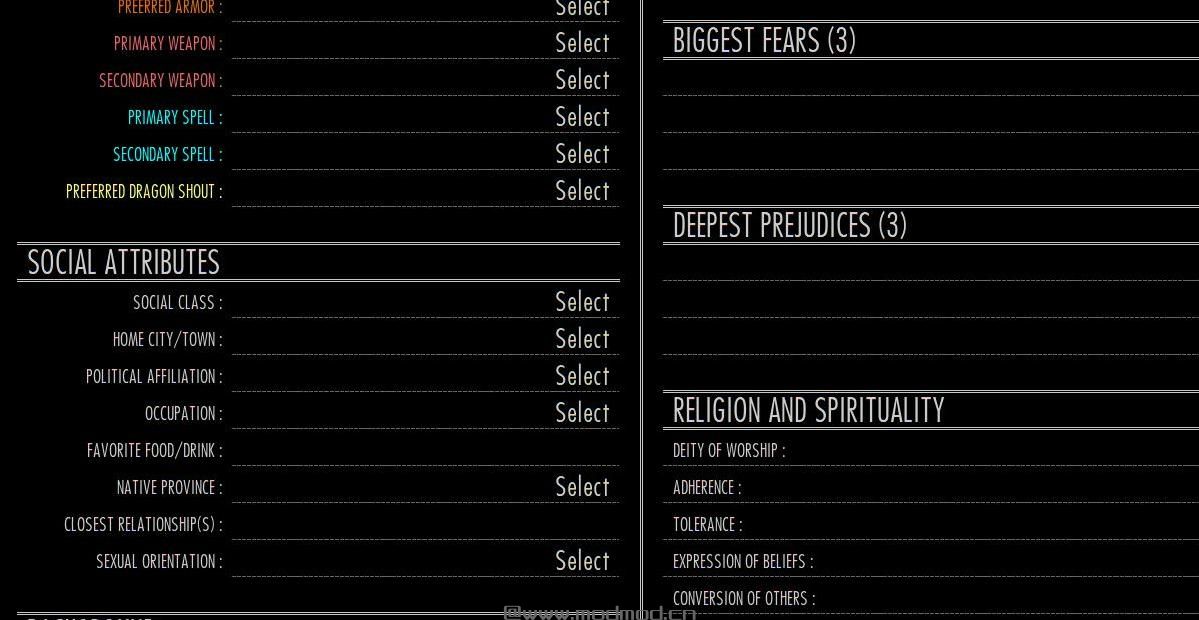
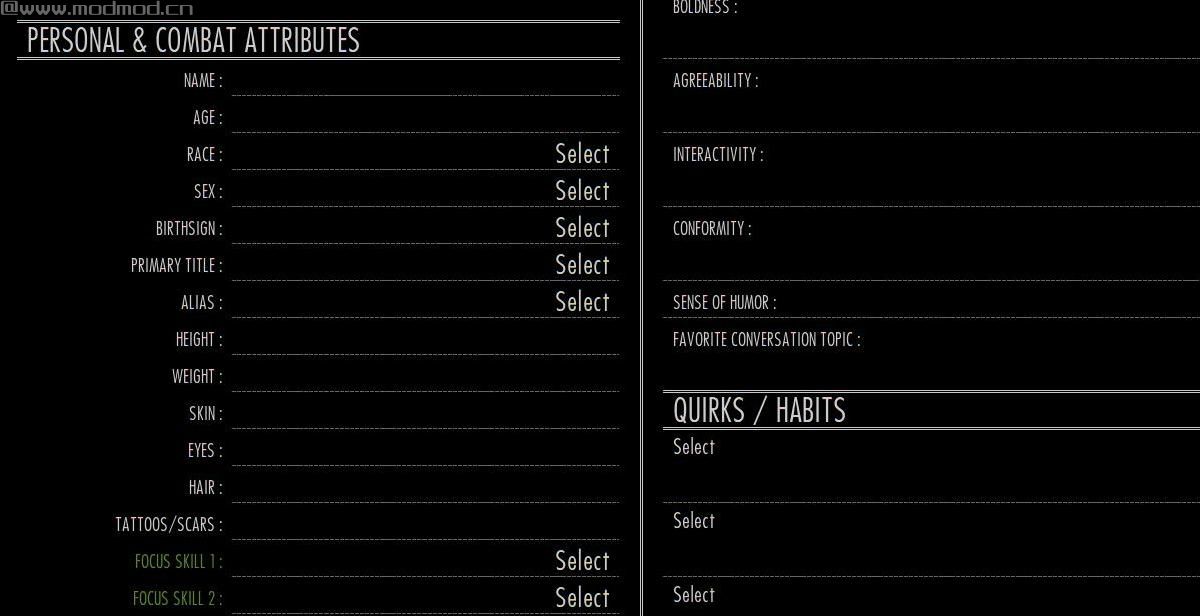
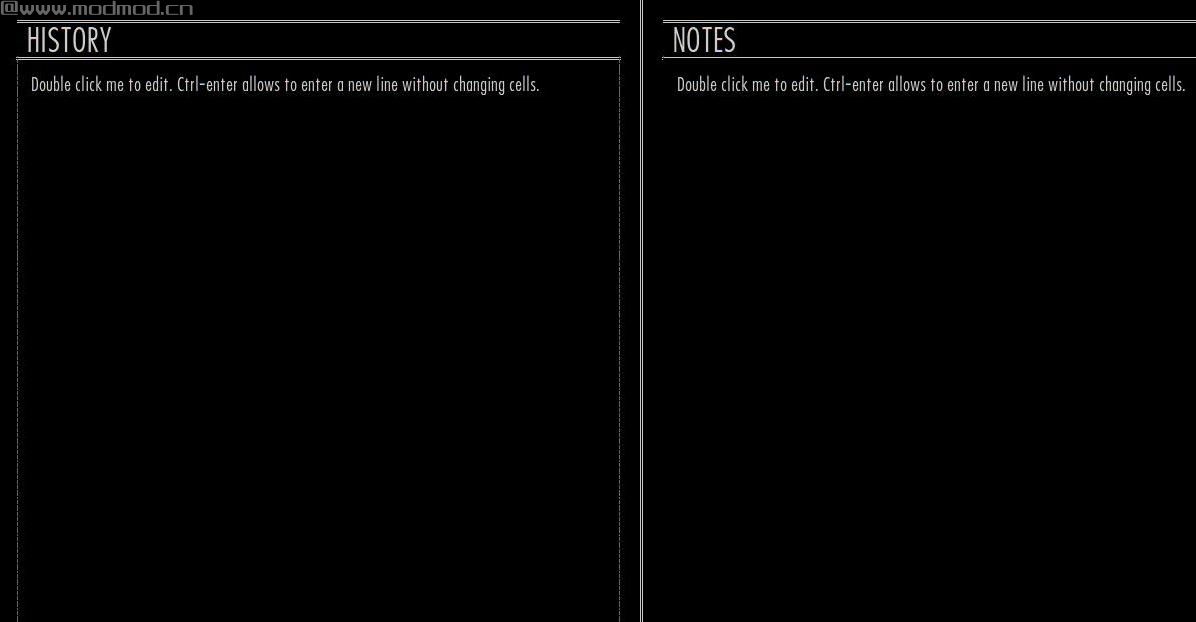
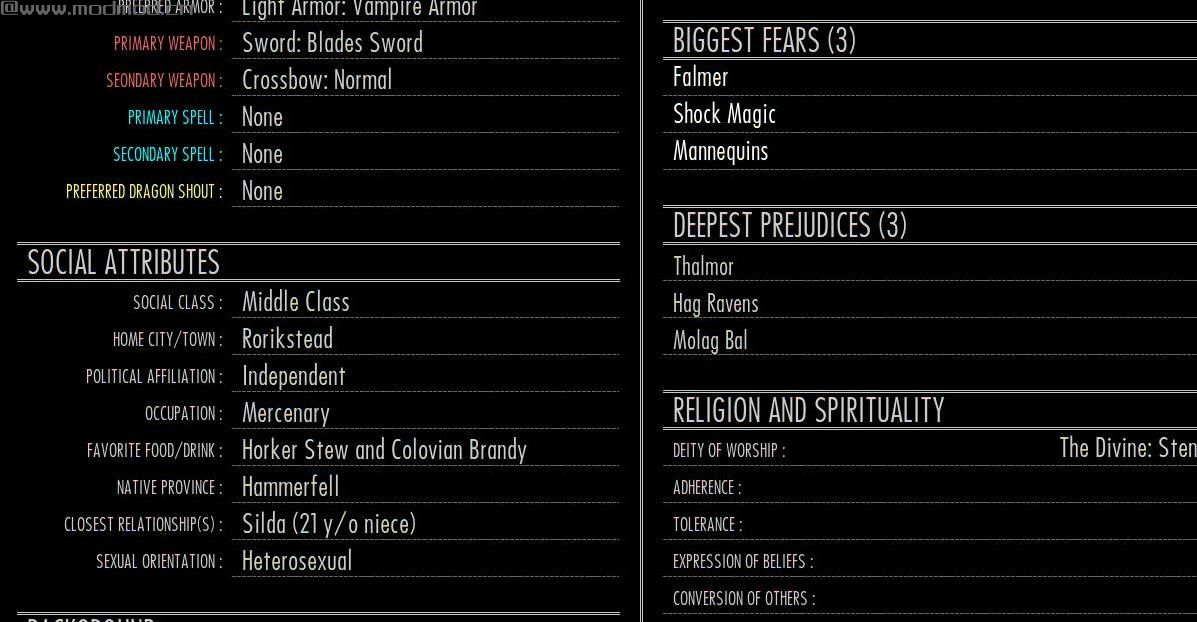
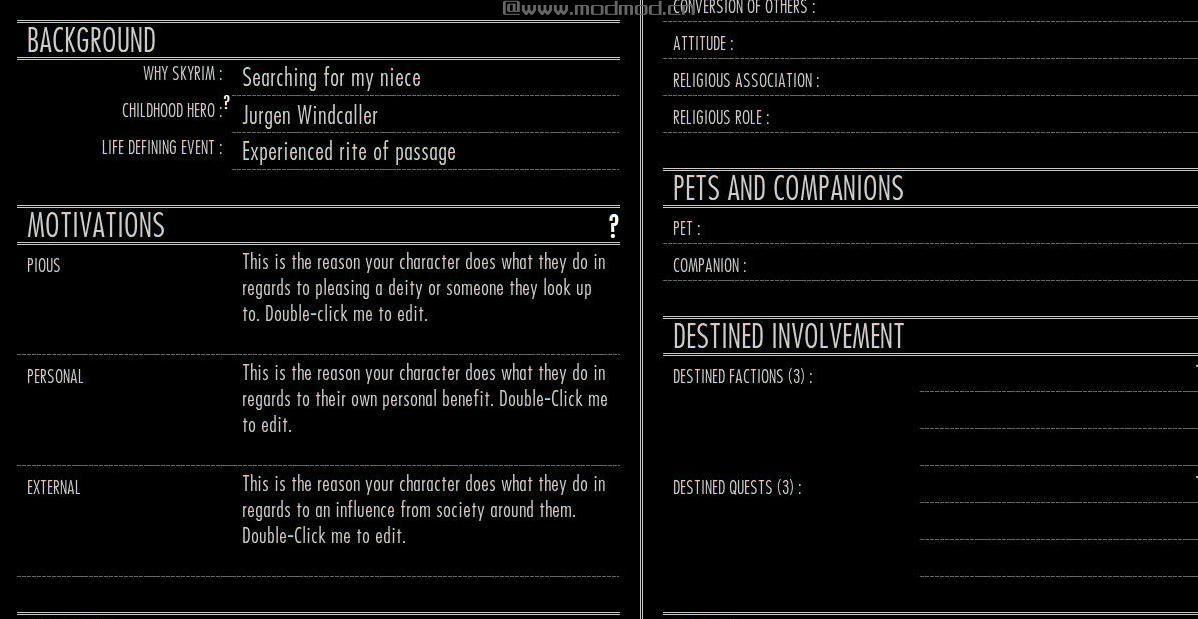
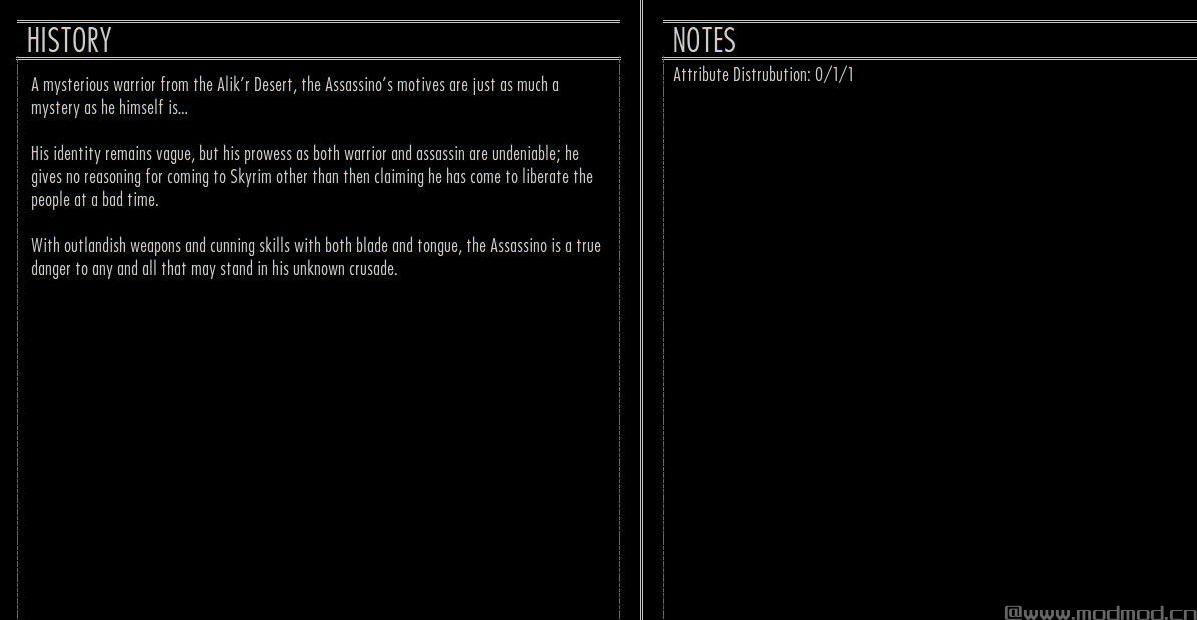
演示截图:
资源查找:
最新文章
点击热榜
推荐问答
- [问答]情商课一般几岁孩子去学比较好?
- [问答]怎么看自己孩子情商低不低?孩子情商低的10大特征是真的吗?
- [问答]我想提高情商和说话要看什么书?
- [问答]顾三月情感课程pdf谁有?
- [问答]谁有情感培训课程资源?
- [问答]如何看卖情感课程正规还是不正规?
回复区
昵称:
邮箱:
内容: