侠盗猎车手5「GTA5」Mod: Lexus LFA Sound Mod
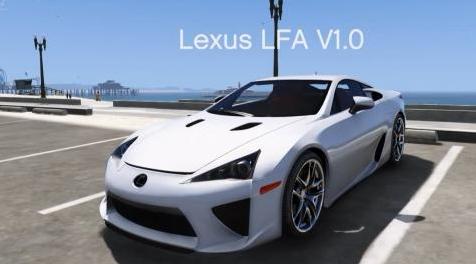
MOD介绍:
雷克萨斯LFA V1.1
由DaBeast
更新:加速减速声音,可能是这个mod的最后一次更新,除非它们有很多可怕的反馈。
*安装*
注意:如果它不允许您拖放,请将文件解压缩到桌面,然后在open iv中按shift + insert
1.进入Open IV并单击编辑模式
2.单击mods / update / x64 / dlcpacks / mpluxe2 / dlc.rpf / x64 / audio / sfx / dlc_lux2
3.将supercar_10_eur_v10.oac拖到open iv中
阅读:这仍然是一项正在进行的工作,所以请留下反馈,以便我可以解决您遇到/不喜欢的任何问题
{第二部分}
根据您安装lexus的方式,您的vehicle.meta可以位于不同的地方
_____________________________________________________________________________________________
对于像视频中那样具有ADDON版本的人:
1.找到插件的dlcpack(例如:mods / update / x64 / dlcpack / lfa)
2.点击dlcpack后,转到你的插件lfa。例
LFA / dlc.rpf /数据
3.提取Vechicle.meta并进入记事本
4.将音频名称哈希值更改为
T20
5.保存并将vechicle.meta拖回打开iv。完成
____________________________________________________________________________________________
适用于拥有REPLACE版本的用户
1. mods / update / update.rpf / common / data / levels / gta5并提取vechicles.meta
2.找到你的lfa替换的任何汽车
3.将音频名称哈希值更改为
T20
4.保存并拖回打开iv。完成
_____________________________________________________________________________________________
请告诉我他们是否有任何错误或建议,并试图解决它。
Lexus LFA V1.1
By DaBeast
UPDATE: Deacceleration sound added, probably the last update for this mod unless their is alot of terrible feedback.
*Install*
Note: If it doesn't let you drag and drop, extract the files to your desktop and press shift+insert in open iv
1. Go into Open IV and click edit mode
2. Click on mods/update/x64/dlcpacks/mpluxe2/dlc.rpf/x64/audio/sfx/dlc_lux2
3. Drag supercar_10_eur_v10.oac into open iv
READ: This is still a work in progress, so please leave feedback so I can fix any of the problems you encountered/ dislike
{Part II}
Depending on how you installed your lexus, your vehicle.meta can be located in different places
_____________________________________________________________________________________________
For people that have an ADDON version like the one in the video:
1. Locate the dlcpack for the addon (Example: mods/update/x64/dlcpack/lfa)
2. Once you clicked on the dlcpack, go to whatever your addon lfa is. Example
lfa/dlc.rpf/data
3.Extract Vechicle.meta and go into notepad
4. Change audio name hash to
t20
5. Save and drag vechicle.meta back into open iv. Done
____________________________________________________________________________________________
For people that have a REPLACE version
1. mods/update/update.rpf/common/data/levels/gta5 and extract vechicles.meta
2. Find whatever car your lfa replaces
3. change the audio name hash to
t20
4. Save and drag back into open iv. Done
_____________________________________________________________________________________________
Please msg me if their is any bugs or suggestions and ill attempt to fix it.
资源查找:
最新文章
点击热榜
推荐问答
- [问答]情商课一般几岁孩子去学比较好?
- [问答]怎么看自己孩子情商低不低?孩子情商低的10大特征是真的吗?
- [问答]我想提高情商和说话要看什么书?
- [问答]顾三月情感课程pdf谁有?
- [问答]谁有情感培训课程资源?
- [问答]如何看卖情感课程正规还是不正规?
实时热榜
回复区
昵称:
邮箱:
内容: