侠盗猎车手5「GTA5」Mod: Gucci Shirt for Franklin (player_one)
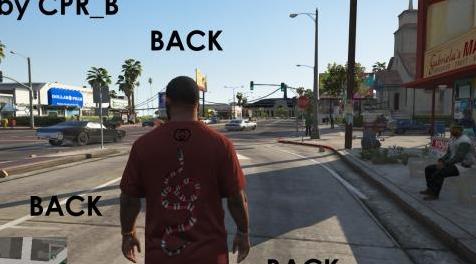
MOD介绍:
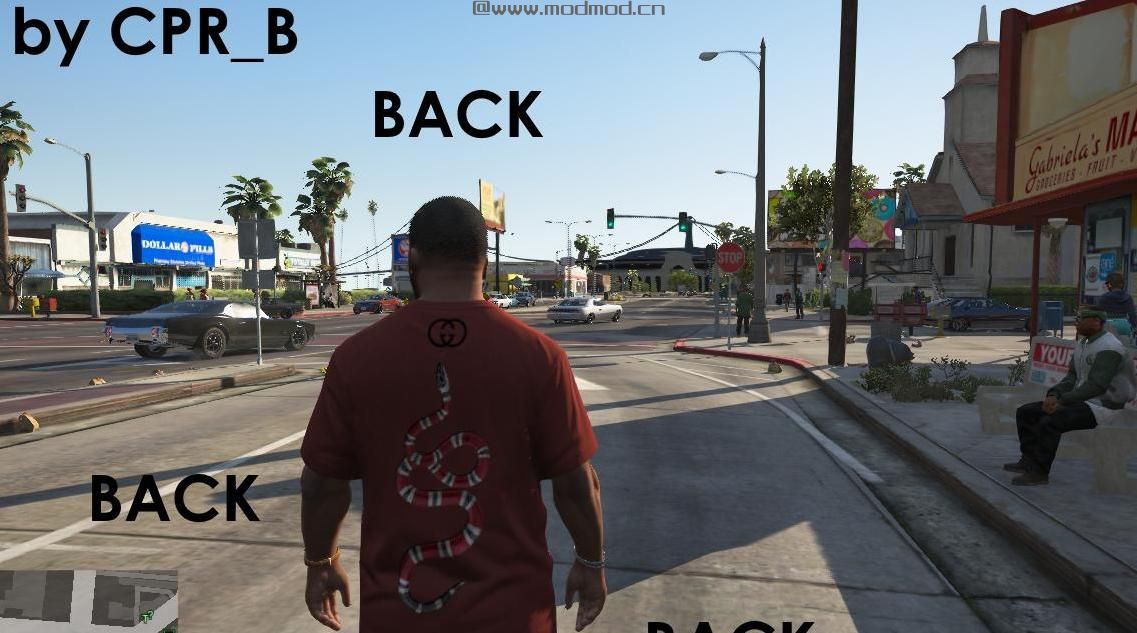
这是为富兰克林制作的Gucci衬衫。
-
注意:
未经我的许可,请不要重新发布。
安装:
- - - - -
>安装OpenIV(如果你还没有...)
>设置OpenIV后,打开顶角的“编辑模式”并导航至:
GTA V> x64v.rpf> models> cdimages> streamedpeds_players.rpf> player_one
>下一次搜索 - 使用搜索栏 - “uppr_diff_004_e_uni.ytd”并双击它。
>查看应该打开的新窗口,然后选择“替换”(如果不存在则再次启用仔细检查编辑模式)
>然后在“打开”窗口中找到名为“guccishirt.ytd”的文件。
>的Presto!任务完成!
使用:
- - - - -
>这是为了富兰克林,所以扮演他......
>使用F8打开“Menyoo”(如果尚未安装,请打开!)
>选择“播放器选项”,然后选择“衣柜”,然后使用箭头键移动并找到No.4并在中移动
纹理选择,直到你发现你的角色穿着你刚安装的Gucci衬衫!
>享受并思考“Gucci”并思考“我应该评价吗?”并回答“是的”。
-Instructions也包含在ZIP文件中。
This is a Gucci Shirt made for Franklin.
--
NOTE:
Please do not republish without my permission.
Installation:
-- -- -- -- --
>Install OpenIV (If you haven't already...)
>After setting up OpenIV turn on "Edit mode" in the top corner and navigate to:
GTA V > x64v.rpf > models > cdimages > streamedpeds_players.rpf > player_one
>Next search - using the search bar - "uppr_diff_004_e_uni.ytd" and double-click it.
>Look in the new window that should've opened and select "Replace" (If not there then double-check edit mode is turned "on")
>Then find the file named, "guccishirt.ytd" in the "open" window.
>Presto! Mission Complete!
Use:
-- -- -- -- --
>This is for Franklin, so play as him...
>Open "Menyoo" using F8 (Install if not already!)
>Select "Player Options" then "Wardrobe" and then move along using arrow keys and find No.4 and move along in the
Texture selection until you find your character wearing the Gucci Shirt you just installed!
>Enjoy and think "Gucci" and think "Should I rate?" and answer "Yes."
-Instructions also included in ZIP file.
演示截图:
资源查找:
最新文章
点击热榜
推荐问答
- [问答]情商课一般几岁孩子去学比较好?
- [问答]怎么看自己孩子情商低不低?孩子情商低的10大特征是真的吗?
- [问答]我想提高情商和说话要看什么书?
- [问答]顾三月情感课程pdf谁有?
- [问答]谁有情感培训课程资源?
- [问答]如何看卖情感课程正规还是不正规?
实时热榜
回复区
昵称:
邮箱:
内容: