侠盗猎车手5「GTA5」Mod: Tag Pack for Decal5
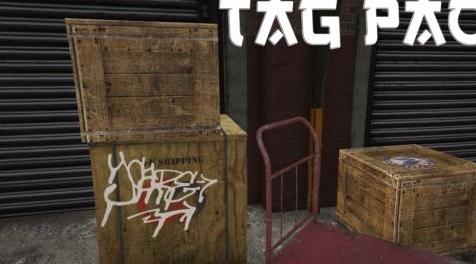
MOD介绍:
与Decal5一起使用的178个标签
要求:
OpenIV
Decal5
安装:
1.打开OpenIV并转到“\ Grand Theft Auto V \ mods \ update \ update.rpf \ x64 \ textures \ script_txds.rpf \”
2.从ZiP文件中删除“tagpack.ytd”并将其打开
3.单击“导出所有纹理”并选择“PNG”
4.你的屏幕上有一个弹出窗口,你需要去“侠盗窃汽车V \ scripts \ Graffiti Mod \ Decals”并从Zip文件中删除文件夹“tagpack”,选择它,你现在应该有了标签 在这个文件夹中。 或者您可以手动创建它并导出内部的png。
5.转到“Grand Theft Auto V \ scripts \ Graffiti Mod”并打开“AddonGraffitiListMaker.exe”
6.按两个随机键,你就完成了!
鸣谢:
还在
178 tags to use with Decal5
REQUIREMENTS:
OpenIV
Decal5
INSTALLATION:
1. Open OpenIV and go to "\Grand Theft Auto V\mods\update\update#rpf\x64\textures\script_txds#rpf\"
2. Drop "tagpack.ytd" from the ZiP file and open it
3. Click on "Export all textures" and select "PNG"
4. There's a pop-up on your screen, you need to go to "Grand Theft Auto V\scripts\Graffiti Mod\Decals" and drop the folder "tagpack" from the Zip file, select it and you should now have the tags in this folder. Or you can create it manually and export pngs inside.
5. Go to "Grand Theft Auto V\scripts\Graffiti Mod" and open "AddonGraffitiListMaker.exe"
6. Press two random keys and you're done!
CREDITS:
stillhere
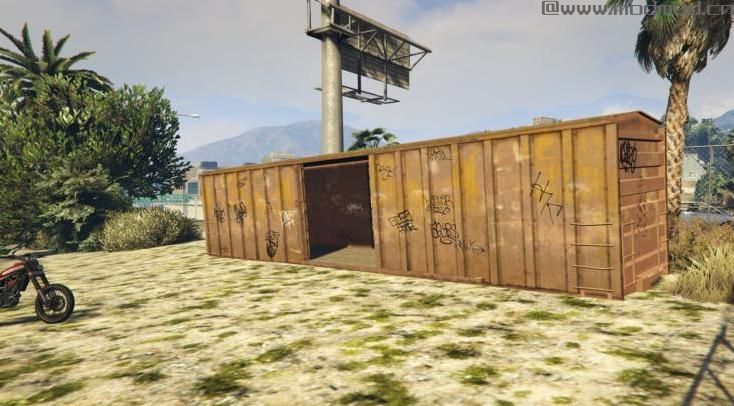
演示截图:
资源查找:
最新文章
点击热榜
推荐问答
- [问答]情商课一般几岁孩子去学比较好?
- [问答]怎么看自己孩子情商低不低?孩子情商低的10大特征是真的吗?
- [问答]我想提高情商和说话要看什么书?
- [问答]顾三月情感课程pdf谁有?
- [问答]谁有情感培训课程资源?
- [问答]如何看卖情感课程正规还是不正规?
实时热榜
回复区
昵称:
邮箱:
内容: