侠盗猎车手5MOD Ralph Lauren Polo pack for Michael
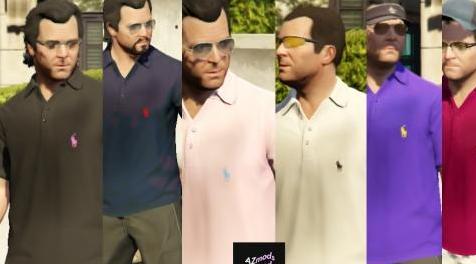
MOD介绍:
Ralph Lauren的POLO小马标志。
迈克尔与拉尔夫劳伦一起看起来很新鲜!
有6种颜色可供选择:
- 黑色/粉红色小马
- 海军/红色小马
- 粉色/天蓝色小马
- 白/黑小马
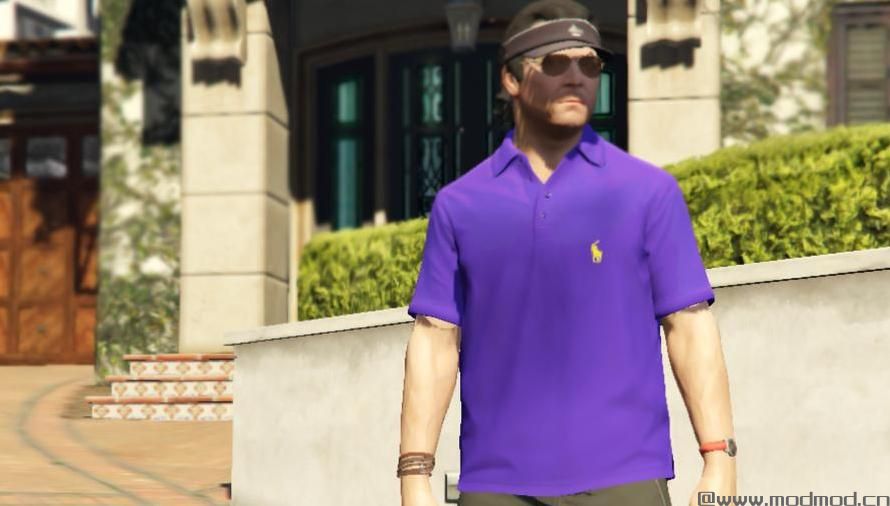
- 紫色/黄色小马
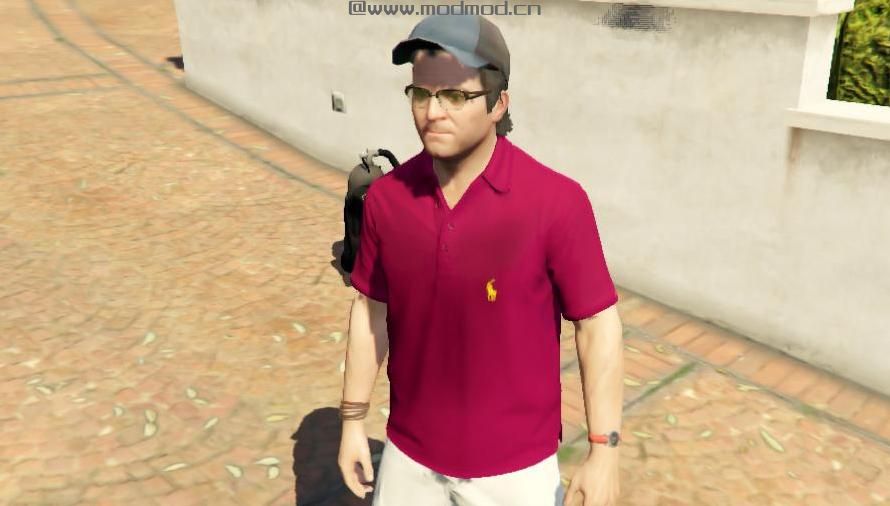
- 栗色/金色小马
将很快制作更多衣服!
-
如何安装:
1.)打开你的OpenIV
2.)转到mods \ x64v.rpf \ models \ cdimages \ streamedpeds_players.rpf \ player_zero
3.)确保编辑模式为ON。
4.)滚动底部,直到找到:
uppr_diff_017_a_whi.ytd
uppr_diff_017_b_whi.ytd
uppr_diff_017_c_whi.ytd
uppr_diff_017_d_whi.ytd
uppr_diff_017_e_whi.ytd
uppr_diff_017_f_whi.ytd
5.)右键单击每个文件,然后单击“替换”,现在用您下载的新文件替换它们。
6.)完成! 要在游戏中使用它们,只需佩戴Michael的常规polo衫或使用训练师轻松换上衣服。
-
POLO by Ralph Lauren in small pony logo.
Michael looking fresh with the Ralph Lauren!
Comes with 6 colors:
- Black/Pink Pony
- Navy/Red Pony
- Pink/Sky Blue Pony
- White/Black Pony
- Purple/Yellow Pony
- Maroon/Gold Pony
Will make more clothes soon!
--
HOW TO INSTALL:
1.) Open your OpenIV
2.) Go to mods\x64v#rpf\models\cdimages\streamedpeds_players#rpf\player_zero
3.) Make sure edit mode is ON.
4.) Scroll through the bottom until you find:
uppr_diff_017_a_whi.ytd
uppr_diff_017_b_whi.ytd
uppr_diff_017_c_whi.ytd
uppr_diff_017_d_whi.ytd
uppr_diff_017_e_whi.ytd
uppr_diff_017_f_whi.ytd
5.) Right click each file then click "Replace", now replace them each with the new files you downloaded.
6.) DONE! To use them in the game just wear Michael's regular polo shirts or use a trainer to switch clothes easily.
--
演示截图:
资源查找:
最新文章
点击热榜
推荐问答
- [问答]情商课一般几岁孩子去学比较好?
- [问答]怎么看自己孩子情商低不低?孩子情商低的10大特征是真的吗?
- [问答]我想提高情商和说话要看什么书?
- [问答]顾三月情感课程pdf谁有?
- [问答]谁有情感培训课程资源?
- [问答]如何看卖情感课程正规还是不正规?
实时热榜
回复区
昵称:
邮箱:
内容: