上古卷轴5:重置版MOD PNFS - 个人笔记本 - 期刊Mod - SSE版
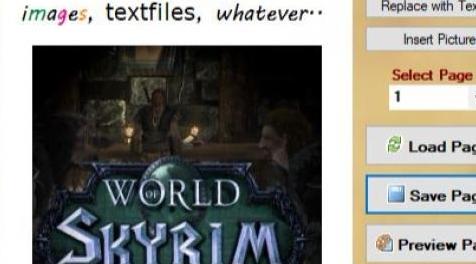
MOD介绍:
PNFS - 个人笔记本 - 期刊Mod - SSE版
这是我的PNFS OldRim(SOV)Mod版本的SSE端口..
来自:www#nexusmods#com/skyrim/mods/8892
简短信息:
有了这个Mod,您现在可以在游戏中为您提供个人日记。
您可以添加带有可选字体,颜色,样式的文本,并将图像添加到笔记本中
最多100页。只需使用附带的编辑器工具开始编写自己的故事
在游戏之外并在游戏中查看书籍。
>>如果您更新,请确保备份您的个人笔记本文件!
如果遇到问题,请使用子文件夹中的旧版本(或
来自旧文件的旧插件版本。)<<
这会为您的文字和图像添加个人笔记本,
这本书总是多变的。使用随附的编辑器工具更改页面。
您可以编写所需内容或从剪贴板插入图像(使用CTRL + V)。
每次启动该工具时,旧的entrys都会被加载到编辑器工具中。
这样,您可以在不知情的情况下快速更改书籍的内容
插件开发。
但要记住它是你的个人笔记本,你不能用它来创造完整的
作为新插件上传的新书,只有您个人笔记本的页面
更换或更改。
如果您启动个人笔记本电脑,它将自动添加到您的库存中
游戏。
这个MOD SEAMS不能正确使用VISTA!尝试版本1.0,如果它不适合你!
安装/使用/启动
- 确保在更新前备份现有的“个人笔记本”文档(!)
- 提取以将mod的内容存档到Data文件夹或使用NMM
- 从Nexus Page获取编辑器工具“Skyrim的Personal Notebook Mod”并将其放入
进入你的天际游戏文件夹(tesv.exe也是)并启动它。
- 随意放入页面,然后在每个更改的页面上单击“保存条目”。
注意:您还可以在游戏运行时更改内容(使用ALT + TAB)
将任务交换到工具)。
- 启动Gamelauncher并转到Datafiles,点击“SkyNotebook.esp”。
- 现在开始游戏,个人笔记本将自动添加到您的库存中。
- 打开个人笔记本以查看您的个人日记。 :)
新的附加扩展工具可以在第1页上显示实时(而不是游戏时间)
在这里找到kyrim#nexusmods#com/mods/44195
Q / A:
问:它不起作用,工具崩溃,我该怎么办?
答:确保将工具直接解压缩到“tesv.exe”所在的游戏文件夹中。
从Windows更新(可选更新)安装最新的.Net Framework。
尝试以管理员身份运行它(右键单击它“以管理员身份启动”。此外,您可以尝试运行
旧版本(1.0),在某些情况下,这对您更有效。
问:我可以使用上古卷轴字体吗?
答:是和否。如果您发现在Windows下工作的Elder Scrolls字体,您可以使用它。
尝试获取像kyrim#nexusmods#com/mods/482这样的字体包
问:如何使背景透明?
答:背景颜色“白色”(FFFFFF)如果是alpha通道来制作背景
透明。
问:我可以使用多少页?
答:书中最多可以有100页编辑和/或您可以在每页上插入图形。
问:全尺寸图像的常规分辨率是多少?
答:常规图像尺寸(对于页面上的图形)是400x300px(但可以缩放更大的图像)。
问:我可以在游戏中写文字吗?
答:不,这个mod不可能,因为页面存储为透明图形
而不是文本。这就是它的原因。 (但你可以使用脏的Taskswitch ALT + TAB来
切换到工具)。
问:我如何插入图形?
答:您可以从剪贴板复制和粘贴,我建议选择“剪切工具”之类的工具
您的图片,点击顶部菜单中的复制,转到工具,选择页面并按STRG + V,
除此之外还有一个“插入图片”按钮,它按文件插入图像。
问:我可以更改文字的字体和颜色吗?
答:是的,因为您可以选择所需的文字,点击“字体”和/或“颜色”并使用它
每页。
问:为什么实时和战争Scripter不起作用?
答:实时是一个Oldrim Mod,但它(应该)运行没有问题得到它:
www#nexusmods#com/skyrim/mods/44195
Warscripter工作正常,但你必须将其重命名为warscripter.exe;
我目前根据发布版本更改了名称..在此处获取:
www#nexusmods#com/skyrimspecialedition/mods/19844
问:使工具运行需要什么?
答:只需使用Windows 7,Windows 8,Windows 8.1或Windows 10即可
问:存储的数据在哪里,它是如何工作的?
答:该工具将内容保存为带有嵌入式图形的richtext
“../data/textures/extraimages2/changeable/”,这里也是重新加载工具的来源
内容。总是如果您对页面进行更改,它将保存在那里,但是富文本
字段也呈现为带有透明Alpha通道的PNG图像
“../data/textures/extraimages2/”。这是SkyNotebook.esp正在寻找的路径
对于页面图像,因为TESV可以处理外部图像而不能处理外部的richtext文件。
问:我可以用这个创建新的mod吗?
答:不是直接..如果你愿意的话,你可以给我一个类似的工具(Book Creator for Skyrim - BCFS)
你可以在kyrim#nexusmods#com/mods/44774找到它
(原因 - 这是一个oldrim mod;稍后将被移植到SSE)
感谢以下..
JustinOther - 修复文件头并获得任务的帮助。
贝塞斯达 - 非常酷和modfriendly游戏:)
Nexus团队 - 非常好的页面,非常感谢。
Spawnkiller - 用于F44转换和代码清洁
玩得开心,triplex2011
版本历史
2.6
- 转换为SSE
- 使用Visual Studio 2017重新编译代码
- 适用于Windows 10的Optimizend
- 实时SOV Mod可选(也适用于W10优化)
- 代码转换为Spawnkiller将笔记本添加到您的发明
- Bug修复
2#5#1
- 一些代码修复
- SkyNotebook.esp已修复为使用RealTime for PNFS
- 图标已更改
- Botton添加为PNFS启动RealTime
2.5
- Bug修复
- 大部分代码都被重写了
- 编辑器工具现在支持100页。
- 编辑器中添加的快速链接
- 页面预览添加到编辑器中
2.4beta
- 修复了一些错误。
- 插件扩展到支持100页。
- 在子文件夹中添加了旧版本1.0,以支持具有当前工具的startproblems的用户
- 添加了类别的可选标题
2.3
- 错误修复(针对编辑器工具)
- 添加(可选)调试版(工具),删除所有XML调用和.Net Framework 2.0
作为Target(它接缝有些人在运行当前主版本时遇到问题,所以试试吧
这个版本)
2.2
- 现在有两个单独的文件,第一个你可以使用NMM安装(确保备份你的
从早期版本的个人书籍内容),另一个安装到你的manuell
skyrim文件夹(tesv.exe也是)。
- 删除了未使用的XML和数据库调用
- 修正了Fileheader
- 修复了许多错误(也可能像某些人告诉的那样修复了起始错误)。
- 缩放添加到orig中查看。大小(从页面上的“缩放模糊”开始)和a
缩放视图以获取页面上的更多内容。
- 添加第20页上的按钮以启动其他RSS InGame Reader。
- Quest添加自动将个人笔记本添加到您的库存(控制台号码)
更多要求)。
2.1
- 修正了一些小错误
- 添加了Picturefile插入
2.0 Beta
- 启用了颜色使用
- 启用字体选择
- 提高分辨率的新系统(圆形缩小)
- 完全重写的代码
- 背景技术
1.0
- Mod / Tool Inital Release(使用Graphics轻松编辑自己的Questlog)
- 添加了类别的模板
——————————————————————————————————————————————————————
PNFS - Personal Notebook - Journal Mod - SSE Version
This is a SSE port of my PNFS OldRim (SOV) Mod version..
From: www#nexusmods#com/skyrim/mods/8892
Short Info:
With this Mod you can now have a personal diary inside the Game just for you.
You can add text with selectable fonts, colors, style and add Images to your Notebook
on up to 100 Pages. Just begin to write your own story, using the included editor tool
outside of the game and view the book inside the game.
>>If you update make sure to backup your personal notebook files !
If you run into problems use the old version from the subfolder (or
the old plugin version from the old files).<<
This adds a personal notebook to the Game with your text and images,
the Book is always changeable. Use the included Editor Tool to change the Pages.
You can write what you want or insert Images from the clipboard (using CTRL + V).
Every time you start the tool the old entrys will be loaded into the editor tool.
This way you can change the contents of the book very quickly without knowledge
of plugin development.
But remember it is YOUR personal notebook, you can not use it to create complete
new books to upload as a new plugin, only the pages of your personal notebook will be
replaced or changed.
The Personal Notebook will automaticly be added now to your inventory if you start the
game.
THIS MOD SEAMS NOT TO RUN CORRECTLY USING VISTA! TRY VERSION 1.0 IF IT IS NOT WORKING FOR YOU!
Installation / Usage / Starting
- Make sure to backup your existing "Personal Notebook" documents before Update (!)
- Extract to archive content of the mod to your Data folder or use NMM
- Get the Editor Tool "Personal Notebook Mod for Skyrim" from Nexus Page and put it
into your skyrim game folder (where the tesv.exe also is) and start it.
- Put into the pages whatever you want, and click "save entry" on every changed page.
Note: You can also change the content while the game is running (use ALT + TAB to
swap task to the tool).
- Start the Gamelauncher and go to Datafiles, here check "SkyNotebook.esp".
- Now start the Game, the personal notebook will be added automaticly to your inventory.
- Open the Personal Notebook to see your personal journal. :)
New additional extension Tool to display the real time (not game time) on Page 1 can
be found here kyrim#nexusmods#com/mods/44195
Q/A:
Q: It dont works, the tool is crashing, what can i do ?
A: Make sure to extract the Tool directly into the Game Folder where the "tesv.exe" also is.
Install latest .Net Framework from Windows Updates (Optional Updates).
Try running it as admin (right click on it "start as administrator". Also you can try to run
the old Version (1.0), in some cases this works better for you.
Q: Can i use Elder Scrolls Fonts ?
A: Yes and No. If you find a Elder Scrolls font working under Windows you can use it.
Try to get a font package like kyrim#nexusmods#com/mods/482
Q: How can i make the Background transparent ?
A: The Background Color "white" (FFFFFF) if for the alpha channel to make the background
transparent.
Q: How many Pages can i use ?
A: You have a maximum of 100 Pages in the Book to edit and / or you can insert graphics on every page.
Q: What is the regular resolution for fullsize images ?
A: Regular Imagesize (for a graphic on a page) is 400x300px (but bigger images can be scaled).
Q: Can i write text inside the Game ?
A: No, this not possible with this mod, because the pages are stored as transparent graphics
and not as a text. This is the reason for it. (But you can use a dirty Taskswitch ALT+TAB to
switch to the tool).
Q: How can i insert graphics ?
A: You can copy and paste from the clipboard, i suggest a tool like "Snipping Tool" to choose
your image, click on copy at the top menu, go to the tool, select the page and press STRG+V,
additional to that way there is a "Insert Picture" Button, which is inserting a image by file.
Q: Can i change fonts and color of the text ?
A: Yes, ofcause you can select the text you want, click on "font" and/or "color" and use it on
each page.
Q: Why is realtime and War Scripter not working ?
A: Realtime is a Oldrim Mod but it (should) run without problems get it here:
www#nexusmods#com/skyrim/mods/44195
Warscripter is working fine, but you have to rename it to warscripter.exe ;
i've currently changed the name based on the release version.. Get it here:
www#nexusmods#com/skyrimspecialedition/mods/19844
Q: What is required to make the Tool run ?
A: Just use Windows 7, Windows 8, Windows 8.1 or Windows 10
Q: Where is the Data for it stored, and how does it work ?
A: The tool saves the content as a richtext with embedded graphics in
"../data/textures/extraimages2/changeable/", here is also the source for the tool to reload
the content. Always if you make changes to a page, it will be saved there, but the richtext
field is also rendered as a PNG Image with a transparent alpha channel to
"../data/textures/extraimages2/". This is the path where the SkyNotebook.esp is looking
for the page Images, because TESV can handle external Images but not external richtextfiles.
Q: Can i create new mods with this ?
A: Not directly.. you can us a similar tool by me (Book Creator for Skyrim - BCFS) if you like
you can find it at kyrim#nexusmods#com/mods/44774
(of cause - this is a oldrim mod; will be ported later to SSE)
Thanks to the following..
JustinOther - to fix the fileheader and for the help with the quest.
Bethesda - for the very cool and modfriendly game :)
Nexus Team - very nice Page, thanks alot.
Spawnkiller - for the F44 convert and code cleanings
have fun, triplex2011
Version History
2.6
- Convert to SSE
- Recompiled code with Visual Studio 2017
- Optimizend for Windows 10
- Realtime SOV Mod optional (also for W10 optimized)
- Code convert for the quest to add the notebook to you inventar by Spawnkiller
- Bug Fixes
2#5#1
- Some code fixes
- SkyNotebook.esp fixed to work with RealTime for PNFS
- Icon changed
- Botton added to start RealTime for PNFS
2.5
- Bug fixes
- Most of the code rewritten
- The Editor Tool now supports 100 pages.
- Quicklinks added in the Editor
- Page Preview added to the Editor
2.4beta
- Some Bugs fixed.
- Plugin extended to support 100 pages.
- Old Version 1.0 added in a subfolder to support users with startproblems of current the tool
- Optional headlogos for categorys added
2.3
- Bug Fixes (for the Editor Tool)
- Debug Edition (Tool) added (optional) with all XML Calls removed and .Net Framework 2.0
as Target (it seams some people have problems running the current main version, so try
this version)
2.2
- Now in two seperate files, the first you can install using NMM (make sure to backup your
personal Book content from earlier version), the other one to manuell install into your
skyrim folder (where the tesv.exe also is).
- Removed unused XML and Database Calls
- Fixed Fileheader
- Many bugs fixed (might also fix the starting bug like some people told from).
- Zoom added to view in orig. Size (to pervent from the "scaling blur" on the pages) and a
scaled view to get more content on a page.
- Button on Page 20 added to start the additional RSS InGame Reader.
- Quest added to automaticly add the personal Notebook to your inventory (console no
more required).
2.1
- Minor Bugfixes
- Picturefile Insert added
2.0 Beta
- Color usage enabled
- Font selection enabled
- New system to make a better resolution (circular scaledown)
- Entirly reworked code
- Background Art
1.0
- Mod / Tool Inital Release (Easy Editing of your own Questlog with Graphics)
- Template for categorys added
资源查找:
最新文章
点击热榜
推荐问答
- [问答]情商课一般几岁孩子去学比较好?
- [问答]怎么看自己孩子情商低不低?孩子情商低的10大特征是真的吗?
- [问答]我想提高情商和说话要看什么书?
- [问答]顾三月情感课程pdf谁有?
- [问答]谁有情感培训课程资源?
- [问答]如何看卖情感课程正规还是不正规?
回复区
昵称:
邮箱:
内容: