上古卷轴5:重置版MOD 主题彩色地图 - 任务指南针标记
MOD介绍:
注意:这个mod(以及其他类似的帖子判断)和SkyUI存在问题。 map.swf文件覆盖了一些SkyUI的附加内容。这会在加载后第一次也是唯一一次打开地图时引发SkyUI Error 5消息弹出。最大的影响是删除了按名称搜索位置的功能。通过将map.swf替换为SkyUI在其bsa中提供的mapmarkerart.swf,已使用更新版本修复此问题。
-
我厌倦了试图在我的地图上查明我的所有任务标记。所有的黑色和灰色混合在一起。我决定去钓鱼寻找彩色任务标记mod。在我的搜索中,我遇到的其中一个版本是skyrimlazz的Color Map Markers SE的简单版本。到目前为止,这是我所有人的首选版本。它刚刚我想这样就不会变成彩色的,而不是黑色和灰色的混合的一些变化,它曾经为罗盘的颜色变化和世界观察任务标记等时(外面的地图/指南针),但颜色不符合我的想法。这让我自己走上了自己的道路,因为我觉得它只是一个重新着色,需要多长时间?嘿...还有,谢谢你让skyrimlazz指出我正确的方向,并在遇到麻烦时帮助我。
所以,我想我只是改变了任务标记,但后来我想让主要的城市图标与他们城市的品牌相匹配。
这个mod的变化:
1.使外部和内部Quest标记和自定义目标标记为浅黄色(或变体),以实现明亮的信标类功能。
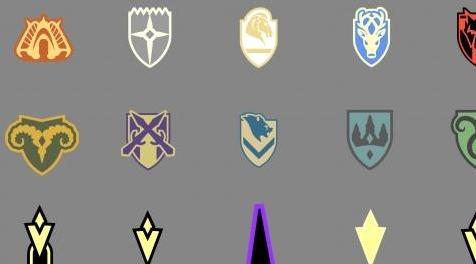
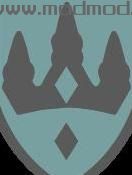
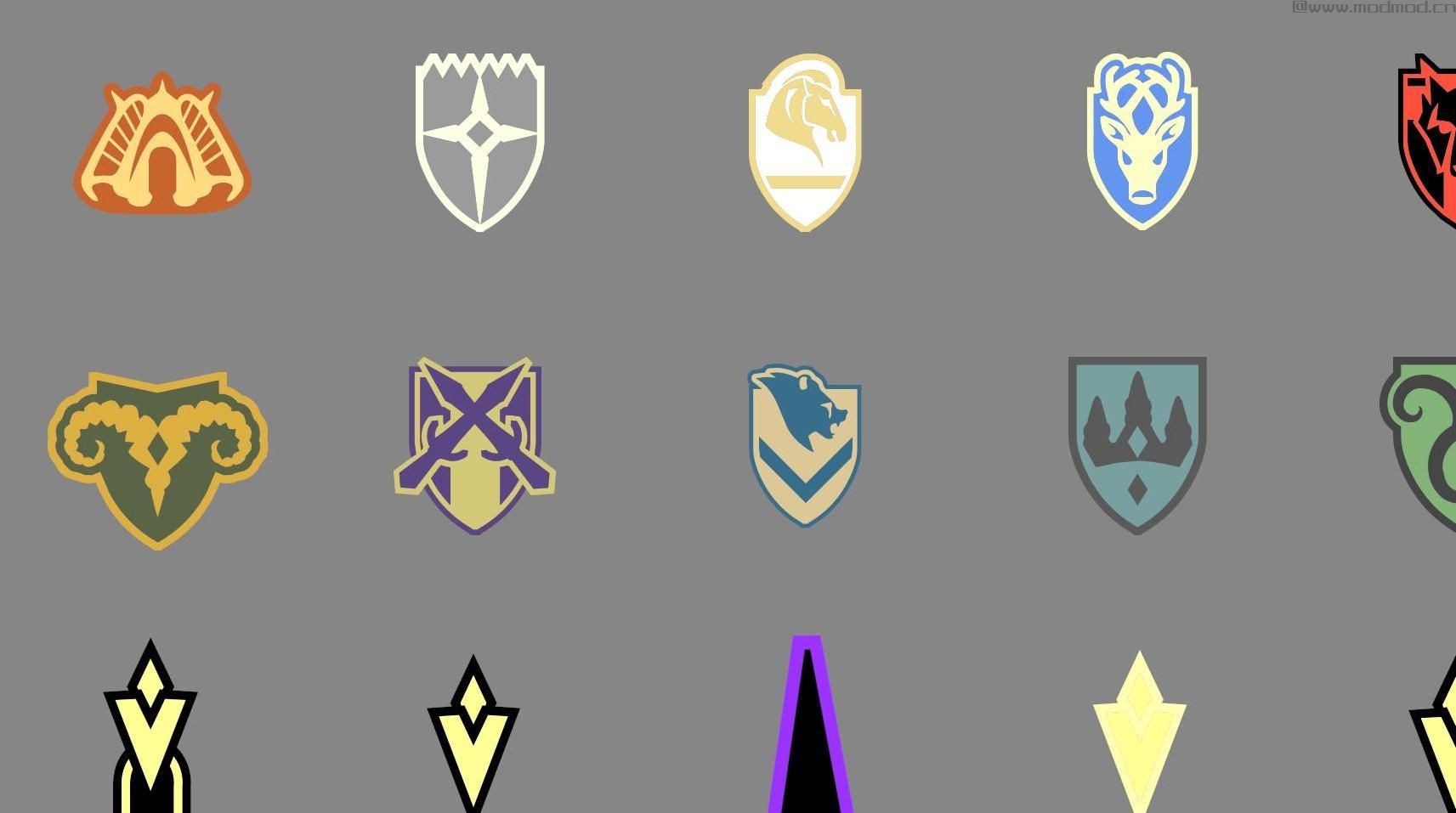
2.九个城市和乌鸦岩基于他们的旗帜/护罩获得各自的颜色主题,我对各种MOD列表游戏图片之间的照明或颜色变化推定,CK资产,VS更详细的地图图标限制的外观横幅/盾牌艺术,和我的品味。 Windhelm,Riften,Whiterun,Solitude,Dawnstar,Markarth,Morthal,Winterhold,Falkreath和Raven Rock。
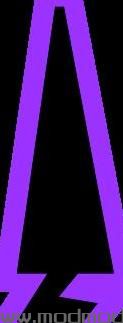
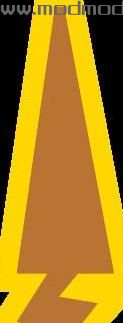
3.当前位置标记为黑色和紫色,是天际中传奇级别通用龙的颜色标记。感觉像龙吟一样最适合玩耍。还有一个青铜和黄金当前位置标记选项,以防你的角色不是龙族或你喜欢这个版本的黑/紫色。青铜和金色照片是上图中的最后一个或接近最后一个。
4.影响地图图标,指南针的图标(使用SkyHUD)和世界中的任务标记(在npc头上或在区域入口/出口上)。
-
安装:
Nexus应该处理得很好。
第一个和第二个主文件有mapmarkerart.swf和hudmenu.gfx。黑色和紫色或青铜色和金色位置标记。
第三个主文件具有可选的compassmarkerart.swf,用于SkyHUD的罗盘图标。它适用于任何一个版本。请注意,文件版本仍为1#0#0,不需要更改。
可选文件部分的.txt包含所有RGB代码。如果您想自己更改/调整颜色,请记住警告。
-
注意事项:
这只影响发现的地图图标,而不是未发现的。
2.当光标不在地图图标上时,颜色可能会略微淡化。地图上的图标有透明度。
-
建议的模组:
SkyUI
SkyHUD
质量世界地图
-
如果您想设计自己的标记,您需要:
要观看本教程 - 但在SkyUI的bsa文件中使用“mapmarkerart.swf”而不是主游戏的“map.swf”文件。您也可以下载mod并使用这些文件来节省挖掘bsas的麻烦,然后按照教程中的说明进行操作。
并下载以下内容:
JPEXS SWF Decompiler(opensource,free) - 右键单击Shape,单击Raw Edit,下载到fillStyles。可以在那里改变颜色。
BSA / BA2浏览器
记事本+ +
-
——————————————————————————————————————————————————————————
NOTE: There was an issue with this mod(and others like it judging by the posts) and SkyUI. The map.swf file overrides a few additions of SkyUI's. This provokes a SkyUI Error 5 message popup when opening the map for the first and only time after a load. The biggest impact was removing the ability to search for locations by name. This has been fixed with the updated version by replacing the map.swf with the mapmarkerart.swf that SkyUI supplies in its bsa.
-
I got tired of trying to pinpoint all my quest markers on my map. All the black and grey blended together. I decided to go fishing for a colored quest marker mod. In my search, one of the versions I came upon was the Simple version of skyrimlazz's Colour Map Markers SE. This was by far my preferred version of all. It had just the few changes I wanted so it wouldn't turn into a blend of color instead of black and grey, it had the color changes for the compass and when viewing quest markers or the like in the world(outside of the map/compass), but the colors didn't fit what I had in mind. This set me on a course to make my own since I figured it was just a recolor, how long can it take? heh... Also, thank you to skyrimlazz for pointing me in the right direction and helping me out when I ran into some trouble.
So, I figured I'd just change the quest markers, but then I had the idea to make the major city icons match their city's brand.
The changes of this mod:
1. Making the external and internal Quest markers and Custom Destination marker a light yellow(or variations) for a bright beacon-like function.
2. The nine cities and Raven Rock get their respective color themes based on their banner/guard shield, my presumptions about variations in lighting or color between various mod-list game pics, the look of CK assets, restrictions of map icons vs more detailed banner/shield art, and my taste. Windhelm, Riften, Whiterun, Solitude, Dawnstar, Markarth, Morthal, Winterhold, Falkreath, and Raven Rock.
3. The Current Location marker is colored black and purple, the color designation of Legendary level generic dragons in Skyrim. Felt appropriate as most play as the Dragonborn. There is also an option for a bronze and gold Current Location marker in case your character isn't a Dragonborn or you prefer this version to the Black/Purple one. The bronze and gold pic is the last or close to last in the images above.
4. Affects the map icons, the icons for the compass(with SkyHUD), and the in-world quest markers(over npc heads or on zone entrances/exits).
-
Installation:
Nexus should handle it just fine.
The first and second main files have mapmarkerart.swf and hudmenu.gfx. Black and purple or bronze and gold location markers.
The third main file has the optional compassmarkerart.swf for the compass icons for SkyHUD. It works with either version. Note that the file version is still 1#0#0, it didn't need to be changed.
The optional file section has a .txt with all the RGB codes. Keep in mind the Warning there if you want to change/adjust colors on your own.
-
Things to note:
1. This only affects discovered map icons, not undiscovered.
2. The colors might have a slight fade to them when the cursor is not on the map icon. There's a transparency to icons on the map.
-
Suggested mods:
SkyUI
SkyHUD
A Quality World Map
-
If you want to design your own Markers you'll need:
To watch this tutorial - but use the "mapmarkerart.swf" in SkyUI's bsa file instead of the main game's "map.swf" file. You can also just download the mod and use those files to save the trouble with digging through bsas, then follow the directions in the tutorial.
and download the following:
JPEXS SWF Decompiler (opensource, free) - right click on a Shape, click Raw Edit, go down to fillStyles. Can change colors there.
BSA/BA2 Browser
Notepad++
-
演示截图:












资源查找:
最新文章
点击热榜
推荐问答
- [问答]情商课一般几岁孩子去学比较好?
- [问答]怎么看自己孩子情商低不低?孩子情商低的10大特征是真的吗?
- [问答]我想提高情商和说话要看什么书?
- [问答]顾三月情感课程pdf谁有?
- [问答]谁有情感培训课程资源?
- [问答]如何看卖情感课程正规还是不正规?
回复区
昵称:
邮箱:
内容: