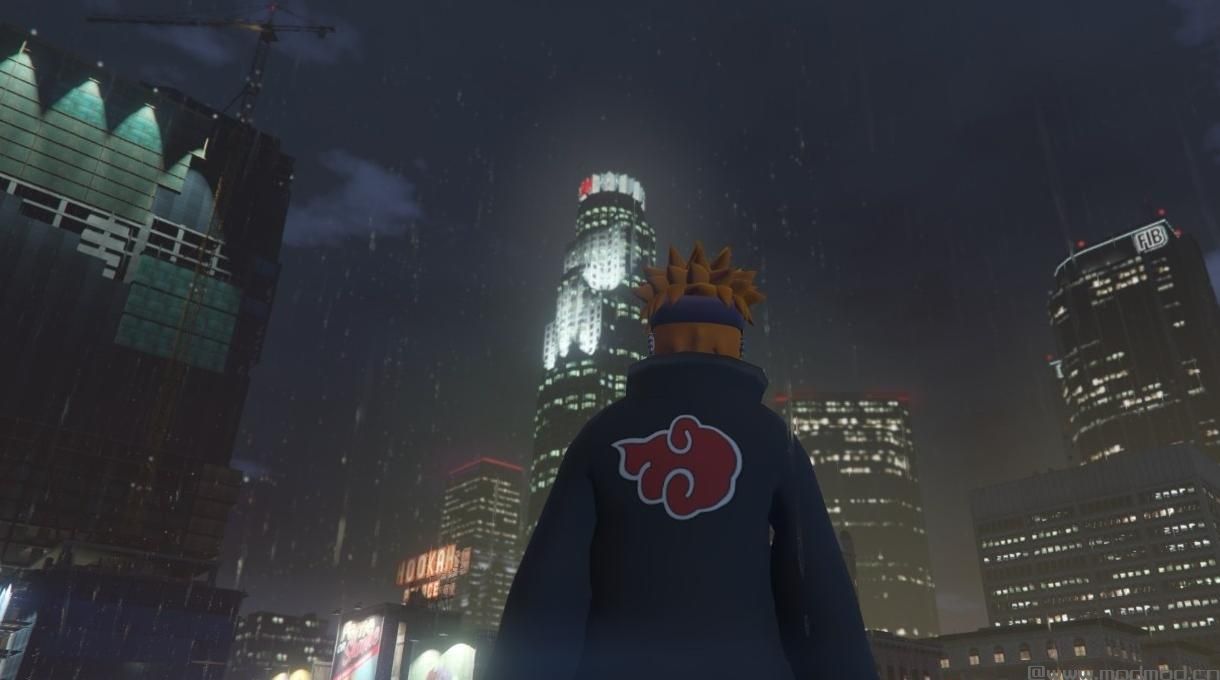
侠盗猎车手5MOD Pain Deva Path!

MOD介绍:
哦? 真? 我是第一个成功创建与GTA全局照明正确交互的火影忍者GTA模型的人? 并没有纹理不幸? 如果这个顺利的话可以再做一次吗? 什么 - 为什么谢谢你。 :)和你的欢迎。
适用于使用nm710的Psychokinetic mod:HERE!
安装:( addonpeds方法)
1.安装www#gta5-mods#com/scripts/addonpeds-asi-pedselector。
2.放置DevaPath存档中的四个文件以更新\ x64 \ dlcpacks \ addonpeds \ dlc.rpf \ peds.rpf
3.打开AddonPedsEditor.exe并在列表中添加PainDevaPath模型作为普通ped(检查ReadMe for AddonPeds)。
Oh? Really? I'm the first person to successfully create a Naruto GTA model that Correctly interacts with the GTA Global Illumination? And with no texture mishaps? And Can do it again if THIS one goes well? Wh-Why Thank you. :) and Your Welcome.
For USE with nm710's Psychokinetic mod: HERE!
Installation:(addonpeds method)
1.Install this www#gta5-mods#com/scripts/addonpeds-asi-pedselector.
2.Place the FOUR files from the DevaPath archive to update\x64\dlcpacks\addonpeds\dlc#rpf\peds#rpf
3.Open AddonPedsEditor.exe and add PainDevaPath model in the list as normal ped (check ReadMe for AddonPeds).
演示截图:
资源查找:
最新文章
点击热榜
推荐问答
- [问答]情商课一般几岁孩子去学比较好?
- [问答]怎么看自己孩子情商低不低?孩子情商低的10大特征是真的吗?
- [问答]我想提高情商和说话要看什么书?
- [问答]顾三月情感课程pdf谁有?
- [问答]谁有情感培训课程资源?
- [问答]如何看卖情感课程正规还是不正规?
实时热榜
回复区
昵称:
邮箱:
内容: