辐射4MOD Plugs of the Commonwealth 联邦塞子 v112
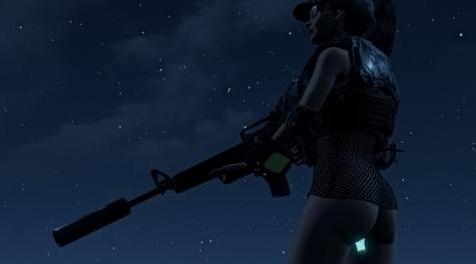
MOD介绍:
[护甲模块]
所有的塞子都可以在装甲工作台进行改装。
因为我们没有用于辐射4的MCM,你只能通过控制台更改设置。
别担心,我已经做得很简单了。要做到这一点,你可以如下操作:
控制台输入" set "这个词,然后是你想要改变的变量,然后接着输入“to” ,然后后面设置你想要的值。
如下红色字:
[ Perk HUD animation and Messages ]
Dual Core - PlugsDualCoreGraphic (default 3)
Dusting For Prints - PlugsDustingGraphic (default 1)
To turn off both the animation and message:
set PlugsDualCoreGraphic to 0
To turn on the animation but turn off the message:
set PlugsDualCoreGraphic to 1
To Turn off the animation but turn on the message:
set PlugsDualCoreGraphic to 2
To turn on both the animation and message:
set PlugsDualCoreGraphic to 3
翻译:
[Perk HUD动画和消息]
双核 - PlugsDualCoreGraphic(默认3)
除尘指纹 - PlugsDustingGraphic(默认1)
要关闭动画和消息:
将PlugsDualCoreGraphic设置为0
要打开动画,但关闭消息:
将PlugsDualCoreGraphic设置为1
要关闭动画,但打开消息:
将PlugsDualCoreGraphic设置为2
打开动画和消息:
将PlugsDualCoreGraphic设置为3
资源查找:
最新文章
点击热榜
推荐问答
- [问答]情商课一般几岁孩子去学比较好?
- [问答]怎么看自己孩子情商低不低?孩子情商低的10大特征是真的吗?
- [问答]我想提高情商和说话要看什么书?
- [问答]顾三月情感课程pdf谁有?
- [问答]谁有情感培训课程资源?
- [问答]如何看卖情感课程正规还是不正规?
回复区
昵称:
邮箱:
内容: