辐射4MOD No Fall Damage
MOD介绍:
这个MOD让你的摔落伤害减至0!你现在可以随心所欲的跳楼或者跳崖,你不会受到一丁点的伤害。
但是NPC和敌人还是会受到伤害的,不然我们就无法享受把他们扔出窗外的乐趣了。
1. Edit your Fallout4Prefs.ini
1、编辑文件 Fallout4Prefs.ini
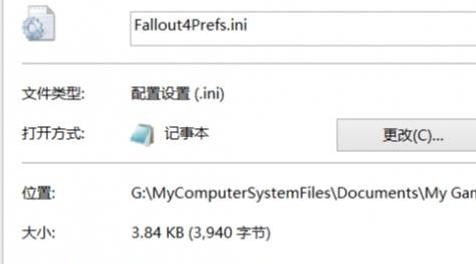
The Fallout4Prefs.ini is in "Documents/My Games/Fallout 4".
Fallout4Prefs.ini 这个文件的位置在 “Documents/My Games/Fallout 4”。
Open it and under the section [Launcher] add "bEnableFileSelection=1".
打开它,搜索 [Launcher] 并在后面添加”bEnableFileSelection=1“。
Right click Fallout4Prefs.ini, select Properties, and tick the Read Only box. Fallout 4 likes to refresh and reset this file all the time, including whenever you enter the options menu. Selecting read only will prevent any changes to this file. Note that this will prevent you from changing your graphics options unless you deselect the read only box, at which point you will have to re-enter "bEnableFileSelection=1"
设置这个文件的属性为“只读”,因为辐射4会对这个文件进行重置。设为“只读”就没事了。
2. Edit your plugins.txt
2、编辑文件 plugins.txt
The plugins.txt is in "Users\[YourUser]\AppData\Local\Fallout4".
plugins.txt 这个文件的位置在“Users\[YourUser]\AppData\Local\Fallout4”。
Add "NoFallDamage.esp" under "Fallout4.esm".
打开文件在最后添加 “NoFallDamage.esp”。
3. Put the esp(s) of your choice inside the SteamApps\common\Fallout 4\Data folder
3、把MOD文件拷贝到 SteamApps\common\Fallout 4\Data 文件夹里面。
4. Enjoy!
4、祝玩得开心!
资源查找:
最新文章
点击热榜
推荐问答
- [问答]情商课一般几岁孩子去学比较好?
- [问答]怎么看自己孩子情商低不低?孩子情商低的10大特征是真的吗?
- [问答]我想提高情商和说话要看什么书?
- [问答]顾三月情感课程pdf谁有?
- [问答]谁有情感培训课程资源?
- [问答]如何看卖情感课程正规还是不正规?
回复区
昵称:
邮箱:
内容: